Pinterest can send you real traffic. I’ve seen it happen — a pin takes off, clicks roll in for weeks, and your analytics show people landing on your blog in numbers you weren’t getting from Google.
Then you check your affiliate commissions.
And the gap is real. Traffic without conversions is just a vanity metric. If Pinterest is sending people to your blog and they’re leaving without clicking your affiliate links, the problem usually isn’t the traffic. It’s what they find when they land.
That’s where your affiliate link tool comes in — and not all of them are built the same way.
Why Your Affiliate Link Tool Matters More Than You Think
Most bloggers set up affiliate links once and never revisit the system. They use whatever was easiest to get started, and they leave it there even when it’s costing them money.
Pinterest users especially need to think about this. Someone who clicks a pin is in a buying mindset. They saw something beautiful or useful, they clicked on purpose, and they arrived on your blog ready to look at products. If your affiliate links are buried in text or invisible on the page, you’re converting a fraction of what you should be.
The tool you use to display affiliate products directly affects that conversion rate. Here’s what I found when I tested the main options.
Pretty Links
Pretty Links is one of the most recommended affiliate tools in blogging communities, and the reputation is earned. It cloaks links cleanly, tracks clicks, and lets you create branded short URLs that look professional. Setup takes minutes.
What it doesn’t do is display your products.
Pretty Links manages links — it doesn’t surface them visually on the page. You still have to write the text, manually insert the hyperlinks, and hope the reader notices them while scanning. For a Pinterest audience that just clicked a visual pin and landed expecting a curated shopping experience, a sentence with a hyperlink in the middle of a paragraph isn’t going to stop them.
I use Pretty Links for specific situations — tracking click-through rates on individual links, creating clean branded URLs for content that isn’t Amazon-focused. It’s a utility tool, not a conversion tool.
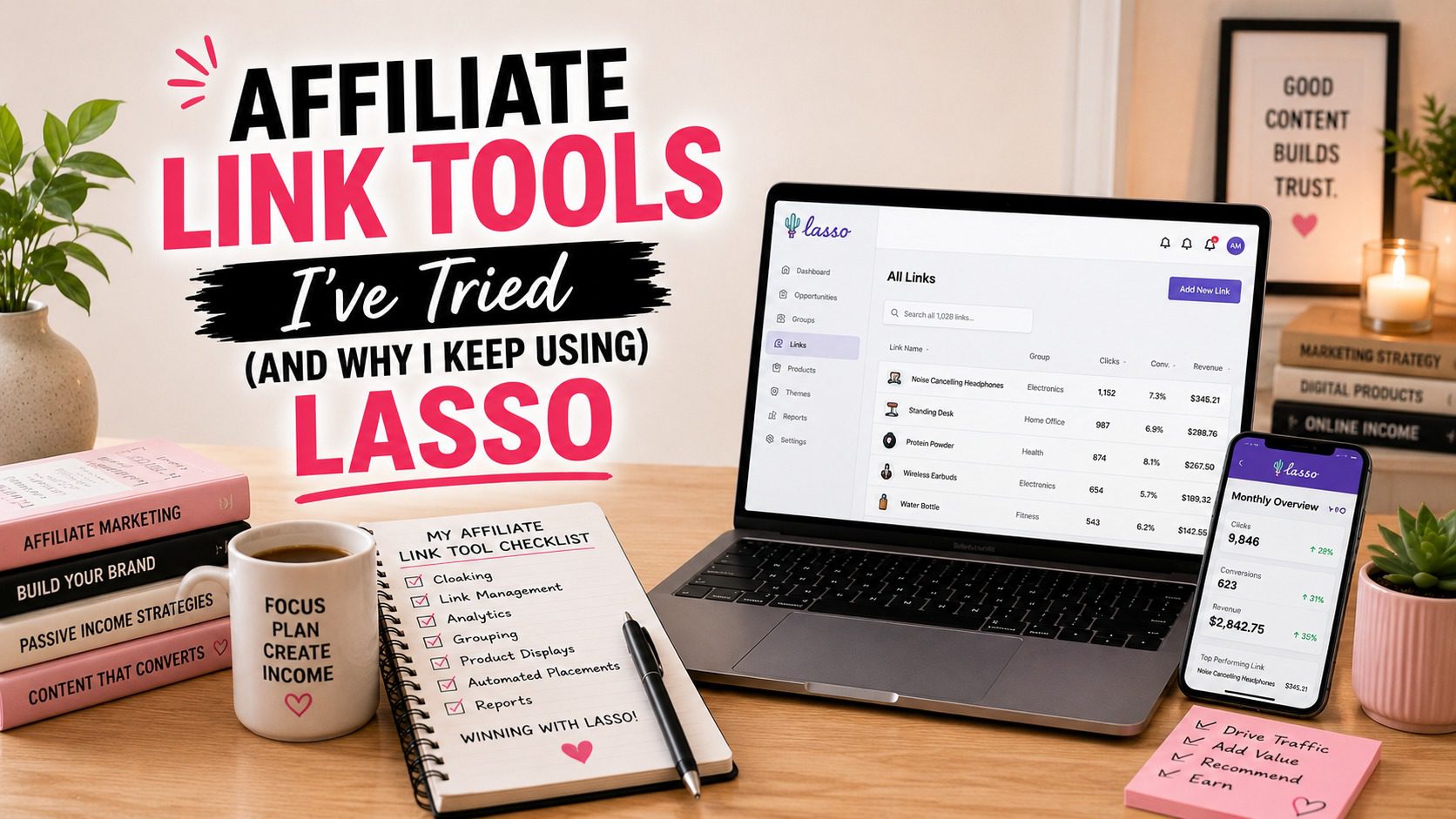
Lasso creates visual product boxes — a photo, a product name, a price, a button. A Pretty Link doesn’t do any of that. The difference between a reader clicking through and a reader bouncing often comes down to whether they see the product or just read a mention of it.
ThirstyAffiliates
ThirstyAffiliates is the other heavyweight in the link management space, and it has legitimate strengths. The link cloaking is solid. The auto-keyword linking feature — where it automatically converts specific words in your content into affiliate links — saves time when you’re managing a large site. Geolocation targeting lets you send international readers to the right Amazon storefront.
For managing a large volume of affiliate links across a site, ThirstyAffiliates is a serious tool.
But again: it manages links. It doesn’t display products.
A ThirstyAffiliates link in a paragraph looks the same as any other hyperlinked text. Readers skip right over it unless they’re already looking for something to click. On a post that’s pulling Pinterest traffic — readers who are visual by nature and came from a platform built entirely around images — that’s a mismatch.
Lasso doesn’t replace what ThirstyAffiliates does for link management on a large site. But when the goal is converting Pinterest traffic into affiliate commissions, visual product display beats a cloaked text link every time. Pinterest readers want to see what they’re considering buying. Show them.
Amazon Associates Link Builder
The native Amazon Associates link builder generates text links, image links, and widgets that you can paste into your content. It’s free, it’s official, and it connects directly to Amazon’s product catalog.
The problem is how those elements look on the page — and how they age.
Amazon’s native widgets are clunky. They don’t match your site’s design, they don’t stack cleanly with your content, and they vary wildly in how they render across devices. The bigger issue is maintenance: when a product goes out of stock or gets a price change, the Amazon widget may break or display incorrect information. You find out when a reader clicks and sees “currently unavailable.”
Lasso pulls live pricing and availability data and displays it in product boxes that actually look like part of your site. When a product goes out of stock, Lasso can automatically redirect the link to an alternative so you’re not sending traffic to dead pages. For a Pinterest creator who has dozens or hundreds of affiliate posts live at any given time, that automated maintenance alone is worth a significant amount of money in recovered commissions.
The Amazon link builder is where a lot of people start. It’s where most of them should stop stopping.
ShareASale and Individual Network Link Builders
Most affiliate networks — ShareASale, Commission Junction, Impact — give you a link builder inside your dashboard. You find the product, generate the link, copy the URL, paste it wherever you want.
These links work. They track. They pay out. The infrastructure is fine.
The display problem is the same: you get a URL, nothing more. How you display that link on the page is entirely up to you. Most bloggers paste it into text, bold the product name, and call it done.
Lasso aggregates affiliate links across networks. You can have Amazon products, ShareASale products, and Impact products all displayed in the same consistent product box format across your site. The reader sees a photo, a name, and a buy button — they don’t see which network is behind it and they don’t care. You manage everything from one dashboard instead of logging into three different affiliate networks to update links when products change.
For a Pinterest creator running affiliate content across multiple categories and programs, that consolidation matters operationally.
What Lasso Does That No One Else Does for Pinterest Traffic
After testing the alternatives, here’s what keeps me on Lasso.
Visual product boxes convert. Pinterest readers are visual shoppers. They clicked an image because something caught their eye. Landing on a page with a clean product photo, a name, a price, and a “Check Price” button continues that visual experience. Landing on a paragraph with a hyperlink in it breaks it. Lasso creates product displays that match what Pinterest users expect when they arrive on a shopping-oriented blog post.
Live pricing and availability. Lasso pulls real-time data from Amazon and other networks so your product boxes show accurate prices and don’t send readers to out-of-stock pages. Dead links kill commission potential and damage trust. Pinterest traffic is often evergreen — a pin can drive clicks for years after you publish. You need your affiliate links to still work two years from now.
Link management plus display in one tool. The tools above handle either link management or link display. Lasso does both. You add a product once, Lasso manages the link and creates the visual box. You don’t need a separate link cloaker for Amazon links that are already inside Lasso’s system.
The display scales across your whole site. Once you set up a Lasso product, you can place that same product box anywhere on your site with a shortcode. If the product goes out of stock and you update the link in Lasso, it updates everywhere it appears. With manually inserted affiliate links or Amazon native widgets, you’d be hunting through dozens of posts to fix them one by one.
When Another Tool Might Make More Sense
If you’re not running a blog and you’re doing Pinterest affiliate marketing by linking directly from pins to affiliate products — bypassing the blog entirely — then a link management tool isn’t your primary need. The conversion happens on the merchant’s page, not yours.
If you’re running a very large site with thousands of affiliate links across multiple networks and your priority is bulk link management and redirect tracking rather than product display, ThirstyAffiliates might be the better operational fit.
But if you’re a Pinterest content creator who builds blog posts, drives traffic from Pinterest to those posts, and monetizes through affiliate product recommendations — Lasso is built for exactly that workflow. It turns your blog posts into visual shopping experiences that match the intent of a Pinterest reader who arrived ready to buy.
The Pinterest Affiliate Stack That Actually Works
Pinterest drives the discovery. Your blog post builds the trust. Lasso closes the sale.
If one piece of that stack is underperforming, the whole system leaks revenue. Most creators obsess over the pin design and ignore what happens on the page after the click. After testing the alternatives, Lasso is the piece I won’t replace — because it’s the one that directly affects whether Pinterest traffic turns into commissions.
This post contains affiliate links. As an Amazon Associate, I earn from qualifying purchases. The content on this website was created with the help of AI.
Hey there! Just a quick heads-up: some of the links on this site are affiliate links, meaning I may earn a small commission if you make a purchase (including through the Amazon Associates program), at no extra cost to you. Occasionally, products featured here are gifted by brands.
I also use AI tools to help research and create content for you! While I love sharing strategies to help you succeed, please remember that everyone's journey is unique—individual results vary, and there are no guarantees. Thanks so much for stopping by!