Clicky

  • About
    • Affiliate Disclosure
    • Ballen Academy
    • Contact Us
    • Privacy Policy
    • Youtube
  • Lori Ballen’s Blog
    • Affiliate Marketing Strategies
    • Blogging Strategies
    • Content Marketing
    • Pinterest
    • Side Hustles
  • Shop
    • Lori’s eBooks
    • Lori’s Tools
Tuesday, June 23, 2026
No Result
View All Result
COACHING
Lori Ballen
  • About
    • Affiliate Disclosure
    • Ballen Academy
    • Contact Us
    • Privacy Policy
    • Youtube
  • Lori Ballen’s Blog
    • Affiliate Marketing Strategies
    • Blogging Strategies
    • Content Marketing
    • Pinterest
    • Side Hustles
  • Shop
    • Lori’s eBooks
    • Lori’s Tools
No Result
View All Result
Lori Ballen
No Result
View All Result
Home Pinterest

5 Mistakes That Will Get Your Pinterest Account Shut Down (And How to Avoid Them)

5 Mistakes That Will Get Your Pinterest Account Shut Down (And How to Avoid Them)

This website contains affiliate links. Some products are gifted by the brand. As an Amazon Associate, I earn from qualifying purchases. The content on this website was created with the help of AI.

While I share money-making strategies, nothing is "typical", and outcomes are based on each individual. There are no guarantees.

Pinterest isn’t a free-for-all. It’s one of the best traffic sources on the internet, but it’s also one of the quickest to suspend you if you act like a spammer. They don’t care how many pins you’ve made or how many followers you’ve built — if your account looks low-value or deceptive, they’ll pull the plug.

Let’s cut through the noise. Here are the top five mistakes that get creators banned — and how to avoid them if you actually want to build long-term traffic and income.


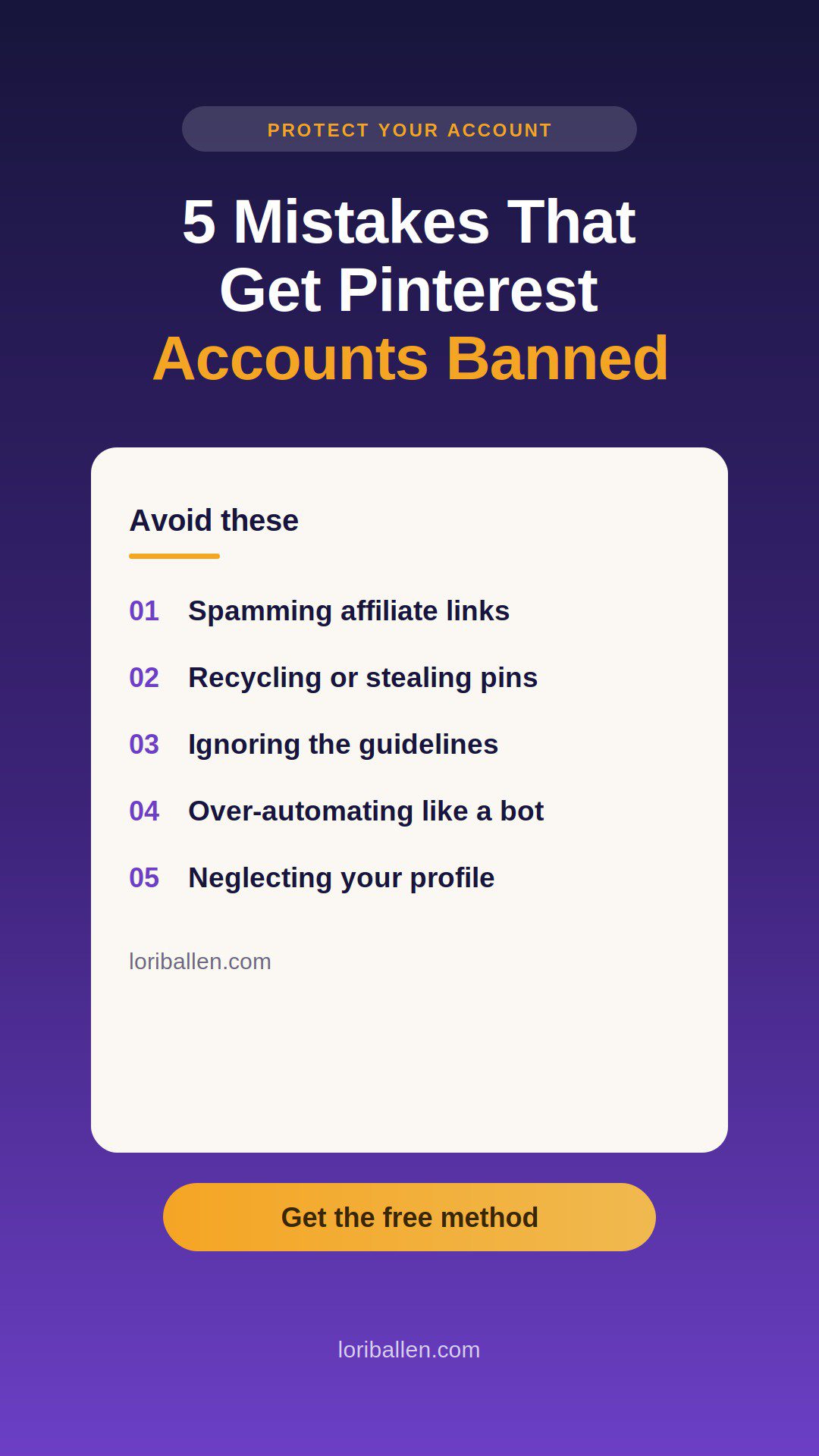
Mistake #1: Spamming Affiliate Links

Here’s the truth: Pinterest doesn’t care about your affiliate hustle. What they care about is user trust. If every pin you drop goes straight to an affiliate product, you’re not building trust — you’re burning it.

What it looks like:

  • Pins that are just product images → straight to Amazon.
  • No blog, no guide, no tutorial — just “buy this.”

That’s spam. And spam gets deleted.

What to do instead:

  • Drive clicks to content (blogs, tutorials, reviews) that provide value.
  • Add affiliate links inside that content, naturally.
  • Ask yourself: “Would I save this pin even if I wasn’t buying something?” If the answer’s no, it’s not good enough.

SEO angle: People search can you post affiliate links on Pinterest, Pinterest affiliate rules, Pinterest affiliate strategy. Work those variations in naturally.

The Ultimate Pinterest Prompt Pack

This is what I use to plan my Pinterest content fast — no blank screens, no guessing. Just 50 ChatGPT prompts that help me write pins, grow traffic, and repurpose everything. Download once, use it forever.


Ready to grow your Pinterest traffic without wasting hours brainstorming what to post?

The Ultimate Pinterest Growth Prompt Pack gives you 50 high-impact ChatGPT prompts designed to help you:

  • Create viral blog posts
  • Write clickable Pinterest pin titles
  • Draft high-converting pin descriptions
  • Build SEO-optimized Pinterest boards
  • Plan seasonal content in advance
  • Ride trends for maximum exposure
  • Repurpose content across your platforms

No more staring at a blank screen. No more guessing.

Just copy a prompt, paste it into ChatGPT, and start creating fast, traffic-driving Pinterest content.


This is the exact system I use to build momentum on Pinterest and turn content into sales.


You’ll Get:

✅ 50 strategic ChatGPT prompts for Pinterest growth

✅ Organized categories for blog posts, pins, boards, visuals, and seasonal planning

✅ A plug-and-play system you can use today to accelerate your Pinterest strategy

Download the full PDF instantly after purchase!  


The Ultimate Pinterest Prompt Pack
Buy Now
We earn a commission if you make a purchase, at no additional cost to you.

Mistake #2: Recycling or Stealing Pins

Pinterest rewards fresh content. Period. Uploading the same pin twenty times, or worse, stealing someone else’s graphics, makes you look like a bot.

What it looks like:

  • Same Canva template over and over.
  • Same image, same wording, slightly different title.
  • Repinning other people’s work and claiming it as yours.

Pinterest has visual recognition built in. They know.

What to do instead:

  • New images, new overlays, new wording. I use Ideogram
  • Create multiple pins for the same URL, but make them look truly different.
  • Keep your text descriptions natural and varied — not keyword-stuffed duplicates.

SEO angle: Sprinkle terms like fresh pins Pinterest, Pinterest duplicate content policy, how to create new pins for the same blog post.

Pinterest Power Stack: Turn One Post into Many | Lori Ballen

Mistake #3: Ignoring Pinterest’s Community Guidelines

This is where creators get blindsided. They think, “Well, Instagram allows it, so Pinterest will too.” Wrong. Pinterest bans anything that looks unsafe, misleading, or sketchy.

The fastest ways to get banned:

  • Miracle cure claims.
  • Drastic weight-loss promises.
  • Adult or violent content.
  • Clickbait that doesn’t deliver.

What to do instead:

  • Read the rules once. It’ll take you 15 minutes and save your account.
  • Stick to evergreen, helpful content.
  • Build credibility — don’t stretch the truth just to get a click.

SEO angle: Hit keywords like Pinterest banned content list, Pinterest spam policy, Pinterest prohibited products.


Mistake #4: Over-Automating Like a Bot

Pinterest knows when you’re human and when you’re not. If your pinning looks like it’s coming from a machine, you’ll get flagged.

What it looks like:

  • 50 pins scheduled to hit in a one-hour block.
  • Identical graphics dropped across every board at the same time.
  • Zero human engagement — just automation blasting nonstop.

What to do instead:

  • Schedule realistically: 5–15 pins per day, spaced out.
  • Mix in fresh pins with curated saves from others.
  • Log in manually. Engage. Edit boards. Pinterest wants signs of life.

SEO angle: Target terms like how often to pin on Pinterest, Pinterest automation tools, Pinterest safe scheduling strategy.


Mistake #5: Neglecting Your Profile and Boards

Pinterest doesn’t just judge pins — it judges accounts. If your profile looks empty, generic, or sloppy, they’ll see it as low-value.

Weak profiles usually have:

  • No bio, or a one-line throwaway.
  • Random boards named “Stuff I Like” or “My Pins.”
  • Zero saves from anyone else’s niche content.

What to do instead:

  • Write a strong, keyword-rich bio.
  • Create boards that match your niche and name them properly.
  • Save high-quality content from others. It makes your account look legit.

Think of your profile like a storefront. If someone landed there today, would they know what you’re about? If not, fix it.

SEO angle: Use keyword clusters like Pinterest profile optimization, Pinterest SEO boards, how to set up a Pinterest account.


FAQs About Pinterest Suspensions

Can Pinterest ban you for affiliate links?
Yes, if you look spammy. Affiliate links are allowed, but Pinterest prefers when they’re inside real content.

How long does a suspension last?
Some are temporary (a week or two), but many are permanent. If Pinterest decides you’re spam, you’re out.

What is a fresh pin?
A new image, graphic, or video uploaded to Pinterest — even if it links to the same blog post or product. I use Ideogram to create fresh pins.

How many pins per day is safe?
5–30 pins per day is the sweet spot. More than that can trip spam filters if the content isn’t fresh. When the account is new, you’ll want to go slow while you build trust with the platform.

Can you get reinstated after being banned?
Sometimes. You can appeal, but success rates are low. Prevention is your best defense.


Bottom Line

Pinterest doesn’t shut down accounts by accident. They shut down creators who look like spammers. If you lead with value, make fresh pins, respect the rules, and build a real profile, you’ll never have to wake up to the “account suspended” email.

Here’s the mindset shift: “Pins aren’t ads. They’re assets.” Treat every pin like a long-term piece of content, and your account will keep paying you back for years.

Pinterest Power Stack: Turn One Post into Many | Lori Ballen
TikTok Shop Creator Content Kit | Lori Ballen
Affiliate Marketing System
How to Sell eBooks and PDFs Using YouTube
The Ultimate Pinterest Prompt Pack
45 Proven Ways to Turn Content Into Cash
The YouTube System That Feeds My Entire Business
Blueprint Coaching Program

Share this:

  • Share on Facebook (Opens in new window) Facebook
  • Share on X (Opens in new window) X

Like this:

Like Loading…

RelatedPosts

My Pinterest Traffic System

My Pinterest SEO System

The 6-Step Pinterest Marketing Strategy (The BALLEN Method)

The Pinterest Creator Tech Stack: 3 Tools That Run My Strategy

Is Pinterest Still Worth It in 2026? The Honest Answer

Tags: Pinterest
ShareTweet
Previous Post

10 Blog Post Ideas for Beginners

Next Post

How I Use Opus Clips to Turn One YouTube Video Into 10 Pieces of Content (Without an Editor or a Team)

Lori Ballen

Lori Ballen

I'm a full-time blogger. I teach entrepreneurs how to get more website traffic, generate leads, and make more money online. This website contains affiliate links that benefit me. Take a Course Get a Website Try my Tools

Related Posts

My Pinterest Traffic System
Pinterest

My Pinterest Traffic System

My Pinterest SEO System
Pinterest

My Pinterest SEO System

The 6-Step Pinterest Marketing Strategy (The BALLEN Method)
Pinterest

The 6-Step Pinterest Marketing Strategy (The BALLEN Method)

The Pinterest Creator Tech Stack: 3 Tools That Run My Strategy
Pinterest

The Pinterest Creator Tech Stack: 3 Tools That Run My Strategy

Next Post
How I Use Opus Clips to Turn One YouTube Video Into 10 Pieces of Content (Without an Editor or a Team)

How I Use Opus Clips to Turn One YouTube Video Into 10 Pieces of Content (Without an Editor or a Team)

I Made My First Ebook Sale the Day I Uploaded It

I Made My First Ebook Sale the Day I Uploaded It

I Built a $10K/Month Income Stream Without Even Trying

I Built a $10K/Month Income Stream Without Even Trying

Leave a ReplyCancel reply

This site uses Akismet to reduce spam. Learn how your comment data is processed.

No Result
View All Result
  • About
    • Affiliate Disclosure
    • Ballen Academy
    • Contact Us
    • Privacy Policy
    • Youtube
  • Lori Ballen’s Blog
    • Affiliate Marketing Strategies
    • Blogging Strategies
    • Content Marketing
    • Pinterest
    • Side Hustles
  • Shop
    • Lori’s eBooks
    • Lori’s Tools

Categories

  • Affiliate Marketing Strategies (82)
  • Amazon Influencer Program (16)
  • Blogging Strategies (107)
  • Content Marketing (30)
  • Digital Products (27)
  • Make Money Online (19)
  • Marketing Tools and Resources (19)
  • Pinterest (109)
  • Real Estate (36)
  • Side Hustles (75)
  • Substack (14)
  • Youtube Channel (27)
  • About
  • Lori Ballen’s Blog
  • Shop
Get This Theme

© 2022 Lori Ballen | This website contains affiliate links that benefit the site owner

Welcome Back!

Login to your account below

Forgotten Password?

Retrieve your password

Please enter your username or email address to reset your password.

Log In

Add New Playlist

No Result
View All Result
  • About
    • Affiliate Disclosure
    • Ballen Academy
    • Contact Us
    • Privacy Policy
    • Youtube
  • Lori Ballen’s Blog
    • Affiliate Marketing Strategies
    • Blogging Strategies
    • Content Marketing
    • Pinterest
    • Side Hustles
  • Shop
    • Lori’s eBooks
    • Lori’s Tools

© 2022 Lori Ballen | This website contains affiliate links that benefit the site owner

This website uses cookies. By continuing to use this website you are giving consent to cookies being used. Visit our Privacy and Cookie Policy.
%d