Clicky

  • About
    • Affiliate Disclosure
    • Ballen Academy
    • Contact Us
    • Privacy Policy
    • Youtube
  • Loris Tools
  • Lori Ballen’s Blog
    • Affiliate Marketing Strategies
    • Blogging Strategies
    • Branding Strategies
    • Digital Products
    • Financial Freedom
    • Marketing Tools and Resources
  • Substack
Thursday, January 22, 2026
  • Login
❤️ Lori Ballen
No Result
View All Result
Ballen Blueprint Coaching
eBooks
Get a Website
  • About
    • Affiliate Disclosure
    • Ballen Academy
    • Contact Us
    • Privacy Policy
    • Youtube
  • Loris Tools
  • Lori Ballen’s Blog
    • Affiliate Marketing Strategies
    • Blogging Strategies
    • Branding Strategies
    • Digital Products
    • Financial Freedom
    • Marketing Tools and Resources
  • Substack
Ballen Blueprint Coaching
eBooks
Get a Website
No Result
View All Result
❤️ Lori Ballen
No Result
View All Result
Home Pinterest
How I Found Out Which Pinterest Pins Make Money (With Keyword Tracking in Pinclicks)

How I Found Out Which Pinterest Pins Make Money (With Keyword Tracking in Pinclicks)

in Pinterest
Reading Time: 12 mins read
Share on FacebookShare on Twitter

This website contains affiliate links. Some products are gifted by the brand. As an Amazon Associate, I earn from qualifying purchases. The content on this website was created with the help of AI.

Table of Contents

Toggle
  • The For You Feed Runs on Keywords related to Interests
  • The Keyword Moat (and Where It Cracks)
  • Patterns That Predict Money Pins
  • The Clusters That Drive Traffic vs. Sales
  • Why Pins Go NoIndex (and How to Fix Them)
  • Using Pinclicks as Your Console
  • Action Plan for Profitable Pins
  • Stop Guessing—Start Tracking

While I share money-making strategies, nothing is "typical", and outcomes are based on each individual. There are no guarantees.

Pinterest will show you big numbers—millions of impressions, thousands of saves—but that doesn’t mean you’re making money. Some pins blow up in the For You feed and fade fast. Others keep resurfacing because Pinterest trusts the keywords behind them. That’s the difference between traffic that looks good on paper and pins that actually generate income.

When I started using Pinclicks to track my keyword rankings, I stopped guessing. I could see which pins were climbing into the Top 10, which were sliding out, and which ones had buyer intent attached. That’s when I learned how to separate the pins that pay from the pins that don’t.

I don’t have a Pinclicks coupon code, but I believe I started on a free trial.

Check Out Pinclicks

The For You Feed Runs on Keywords related to Interests

Most people think the For You feed is luck—a pin either takes off or it doesn’t. But Pinterest isn’t rolling dice. It’s labeling every pin you publish based on the signals you give it: your title, description, on-image text, and the board you save it to first. Those signals become annotations.

Annotations are how Pinterest decides if your pin belongs in search for “easy painting ideas on canvas” and whether it should also surface in Home feeds for people who’ve engaged with painting content before. Strong, consistent signals mean distribution. Weak, mismatched, or duplicate ones? That’s when your pin vanishes.

This is where Pinclicks changes the game. Instead of hoping Pinterest picked up the right signals, you can see exactly which keywords your pins are ranking for, where you’re gaining traction, and where you’re losing it.

Example: I saw “DIY wall hanging ideas” move from position #9 to #4 in Pinclicks. That wasn’t random—it was Pinterest testing my pin with larger audiences. Because I caught it, I published two fresh variants with updated creatives and titles. Both picked up Home feed reach almost immediately.

For just $27, get instant access to the Pinterest Power Stack — your complete system to turn a single blog post into a traffic-generating machine on Pinterest. This step-by-step guide will show you how to maximize your Pinterest strategy, create high-converting pins, and drive more traffic to your blog —all without burning out.

The Keyword Moat (and Where It Cracks)

A keyword moat is what protects your traffic on Pinterest. When you’ve got dozens—or even hundreds—of phrases ranking in the Top 10, you’re insulated. Pinterest already trusts you for those topics, and that trust compounds. Every fresh pin you publish in that cluster inherits momentum because the system knows you’re relevant.

But even strong moats develop cracks. Keywords slip. Pins lose ground. Entire phrases disappear from the index. That’s traffic decay, and it’s invisible unless you’re tracking it.

Example: In Pinclicks, I noticed “craft ideas for adults” had dropped from #2 to #6. That slide didn’t show up in my regular analytics, but it was costing me distribution. I refreshed the pin with a stronger image, led the title with the keyword, and saved it first to a tightly matched board. Within two weeks, the keyword was climbing again.

Without that visibility, I would have lost the position completely—and with it, the Home feed reach that pin was generating. The moat isn’t just about how many keywords you rank for; it’s about spotting the leaks before they turn into losses.

Patterns That Predict Money Pins

Once you start tracking keywords, you realize pins don’t just succeed or fail at random—they follow patterns. And those patterns tell you exactly where the money is.

Improving Keywords
When a phrase moves from the bottom of page one into the Top 5, Pinterest is testing your content with bigger audiences. That’s your signal to act fast.
Example: I saw “easy painting ideas on canvas” jump from #8 to #3 in Pinclicks. Within 48 hours I published two new pins: one framed as “Easy Canvas Painting Ideas for Beginners” and another as “Canvas Painting Ideas That Sell.” Both picked up momentum because I caught the surge while it was happening.

Declining Keywords
When a keyword slips, the pin behind it is losing steam. This usually happens when newer pins with fresher creatives enter the space.
Example: “DIY crafts for adults” slid from #3 to #7. I pushed out a refreshed design with bolder imagery and a title that led with the keyword. Saving it first to a more relevant board pulled it back into the Top 3.

Lost Keywords
Once a keyword falls out of the index, that pin is done. Editing rarely revives it. The only way back in is with a new variant.
Example: A “summer craft night” pin lost its indexing. I rebuilt it with new imagery, a tighter keyworded title, and a cleaner destination link. The new version ranked within two weeks.

Seasonal Spikes
Keywords tied to events climb early and fade fast. If you’re only looking at traffic, you’ll miss the early rise.
Example: “DIY Christmas gifts to sell” started showing small gains in Pinclicks in September. I published three new variants over six weeks—one with Cricut projects, one budget-friendly, one styled gift basket. By December, all three were riding the wave.

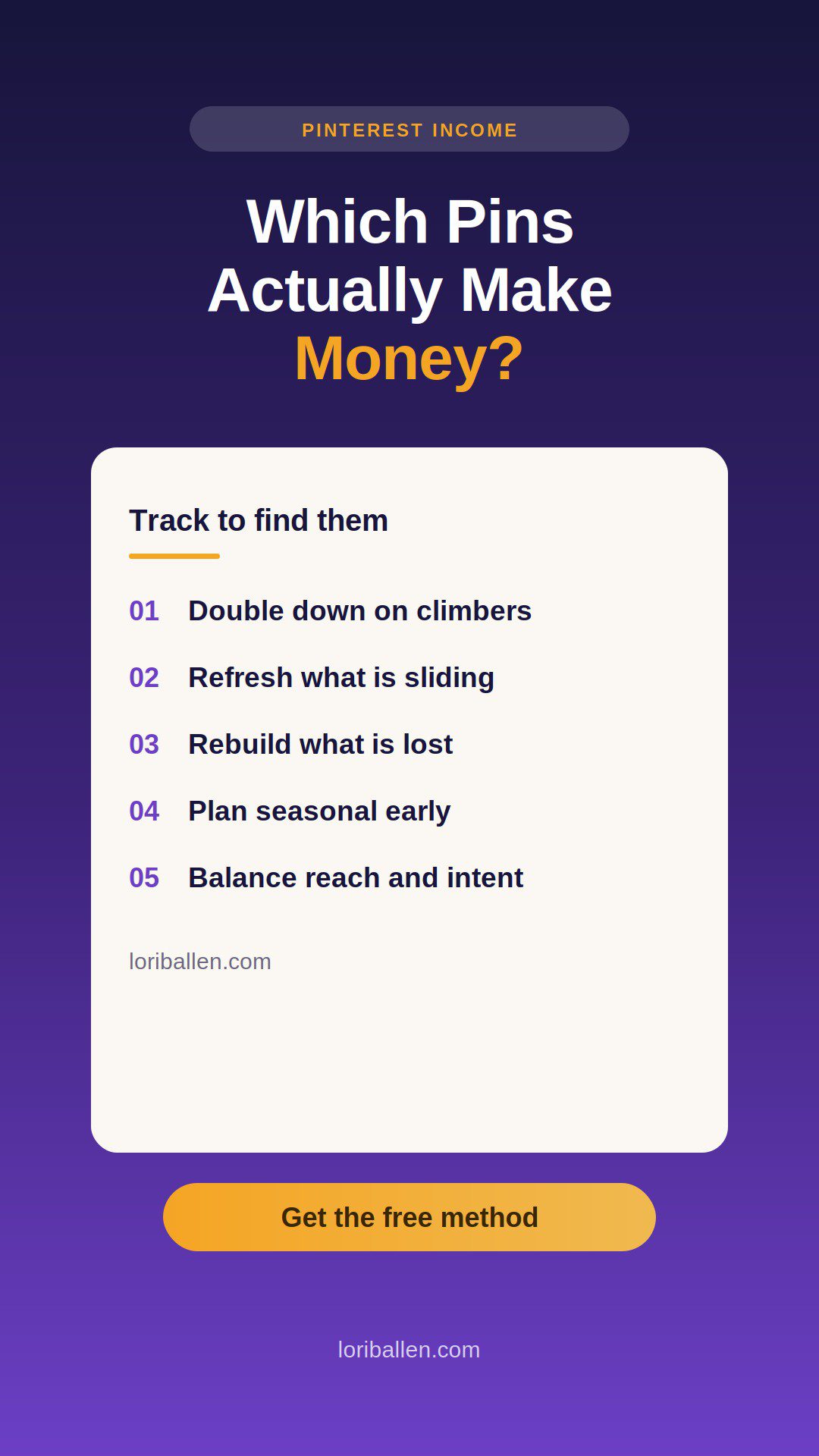
The pattern is predictable: improving means double down, declining means refresh, lost means rebuild, seasonal means plan ahead. The pins that make money are the ones you catch and act on in real time.

PinClicks - Pinterest Research Tool for Creators

Transform your Pinterest presence by discovering top pins' high-performing stats and keywords. Say goodbye to guesswork and hello to skyrocketing traffic and saves. Start with a Free Account today!

PinClicks - Pinterest Research Tool for Creators
Check Out Pinclicks
We earn a commission if you make a purchase, at no additional cost to you.

The Clusters That Drive Traffic vs. Sales

Not every keyword is equal. Some clusters drive massive reach but don’t convert. Others might pull smaller numbers but lead directly to clicks, sales, and commissions. To make money on Pinterest, you need both.

Broad Reach Clusters
These are phrases with wide appeal—things like “painting ideas on canvas” or “crafts for adults DIY.” They bring millions of impressions, saves, and long-term distribution. They’re great for visibility and authority, but on their own, they’re not always monetizable.

Buyer-Intent Clusters
These are where the money lives. Phrases like “things to make and sell,” “easy DIY craft projects to sell,” or “crafts that sell fast” attract people who aren’t just browsing—they’re looking to buy supplies, templates, or finished products. That’s where affiliate clicks and digital product sales happen.

Balanced Strategy
The key is stacking both types. Broad clusters keep your profile growing in Pinterest’s eyes. Intent clusters pay the bills.

Example: After seeing “things to make and sell” consistently ranking at #1 in Pinclicks, I doubled down. I created new pins targeting “Beginner Crafts to Sell Fast” and “DIY Projects That Actually Make Money.” Both linked directly to affiliate products and a guide in my store. That one keyword cluster not only drove traffic—it drove real revenue.

The takeaway: reach clusters build audience, intent clusters build income. You need both in your pin strategy, and you only know which is which when you’re tracking them.

Check Out Pinclicks

Why Pins Go NoIndex (and How to Fix Them)

One of the most frustrating things you’ll see in Pinclicks is a pin flagged as NoIndex. That means Pinterest didn’t put it into the search index. If it’s not indexed, it won’t rank for keywords, and its For You distribution will be weak. People might still see it on your boards or if it’s shared directly, but it will never scale.

Why It Happens
Pins usually go NoIndex for a few predictable reasons:

  • You reused the same image and URL combo too many times.
  • The title and description were too vague, without a clear keyword.
  • The first board save didn’t match the pin’s topic.
  • The link you attached was slow, ad-heavy, or looked off-topic.
  • Early engagement was too weak for Pinterest to trust the pin.

Example: I had a pin around “DIY Christmas gifts to sell” that showed as NoIndex. Instead of trying to edit it, I built a new version. This time, I:

  • Led the title with the keyword.
  • Wrote a 300-character description repeating the phrase naturally.
  • Added clear on-image text that matched.
  • Saved it first to a Christmas-specific board.
  • Linked to a fast, relevant page.

The new pin indexed, started ranking in search, and picked up For You distribution just in time for the season.

The Fix
Don’t waste energy editing a NoIndex pin. Publish a new variant with stronger keyword alignment, fresh creative, and the right first-board save. Think of it as re-entering the index clean, without baggage.

$27.00
Pinterest Power Stack: Turn One Post into Many | Lori Ballen

The Pinterest Power Stack is your proven blueprint for transforming a single blog post into a high-traffic machine. Learn how to create multiple microblog posts that each generate their own traffic and engagement on Pinterest. This system uses Lori’s favorite tools to automate and streamline the process, but you're welcome to follow the steps manually if you're working with a smaller budget or prefer using your own tools. Whether you’re a beginner or an advanced creator, this guide provides the flexibility to scale at your own pace.


What’s Included:

  • A comprehensive, step-by-step guide to creating pillar blog posts and spinning them into micro blog posts that attract Pinterest traffic.
  • Instructions on how to schedule and optimize pins for long-term, consistent traffic.
  • Insight into Lori’s tools like Harpa, Ideogram, and Tailwind for automating the process, with suggestions for manual methods if you’re on a budget or prefer using your own tools.
  • Best practices for linking micro posts back to the pillar blog, building SEO, and maximizing Pinterest reach.

Bonus:

  • Time-saving tips and actionable strategies to help you scale your Pinterest content and keep it relevant over time.


Pinterest Power Stack: Turn One Post into Many | Lori Ballen
Buy Now
We earn a commission if you make a purchase, at no additional cost to you.

Using Pinclicks as Your Console

Pinterest Analytics will show you impressions, clicks, and saves—but it won’t tell you why a pin is working or failing. That’s where Pinclicks comes in. I treat it like my control panel, because it shows me exactly how Pinterest is interpreting my content.

Here’s how I use it:

Improving Keywords → Scale
If I see a keyword moving from #10 to #5, that’s Pinterest testing my pin with bigger audiences. That’s my signal to publish 2–3 new variants immediately.
Example: When “easy wall hanging ideas” climbed in Pinclicks, I pushed out two new creatives with fresh angles. Both picked up Home feed distribution within days.

Declining Keywords → Refresh
When a pin slips from #2 to #6, I know it’s at risk. That’s when I refresh the image, tighten the title with the exact phrase, and save it first to the most relevant board.

Example: “DIY crafts for adults” started to slide. A new pin with brighter photography and the keyword front-loaded in the title brought it back into the Top 3.

Lost Keywords → Rebuild
Once a pin drops out of the index, editing won’t save it. I re-publish with a new creative, a new URL variant if possible, and better alignment.
Example: “Summer craft night ideas” disappeared completely. I rebuilt it with new graphics and a cleaner URL, and within weeks it was ranking again.

Seasonal Keywords → Plan Ahead
Pinclicks makes seasonal waves obvious. If “Christmas crafts to sell” starts climbing in September, I know it’s time to seed content early. I’ll publish multiple variants weeks apart so they’re ready when the spike hits.

This is why I call it a console—it’s not just a report. It’s a live feed of what Pinterest thinks I’m relevant for. That’s how I decide what to refresh, what to scale, and what to leave behind.

Action Plan for Profitable Pins

Turning keyword data into money requires a consistent workflow. Pinclicks gives you the signals, but it’s what you do with them that compounds results. Here’s the framework I follow every week:

1. Refresh Declining Pins
If a keyword is sliding but still in the Top 10, it’s worth saving. I publish a new variant with a stronger image, a keyword-led title, and a tighter first-board match. That usually revives the ranking before it drops out completely.

2. Double Down on Improving Keywords
When a keyword is climbing, I don’t sit back. I create two or three fresh pins immediately—different angles, images, or text overlays—so Pinterest has more content to test while the wave is forming.

3. Rebuild Lost Keywords
Editing old pins rarely flips the switch. When a keyword disappears, I re-enter with a new creative and a fresh alignment. This puts me back in the index without dragging old signals along.

4. Stack Seasonal Content Early
If Pinclicks shows me “Christmas crafts to sell” rising in September, I publish multiple pins weeks before the peak. One with a Cricut angle, one budget-friendly, one styled gift basket. By December, those variants are riding the seasonal surge together.

5. Balance Reach and Intent
I use broad clusters like “painting ideas” for reach, and intent clusters like “things to make and sell” for revenue. Pinclicks tells me which is which so I know how to allocate my publishing time.

The cycle is simple: refresh what’s sliding, scale what’s climbing, rebuild what’s lost, and plan ahead for what’s coming. That’s how you turn keyword tracking into profitable pins instead of vanity traffic.

Stop Guessing—Start Tracking

If you’re pinning without keyword data, you’re flying blind. Some pins will hit, others will flop, and you won’t know why. When I started using Pinclicks, I finally understood the difference between pins that just bring views and pins that actually make money.

Get Pinclicks here


Affiliate Disclosure
Some of the links in this post are affiliate links, which means I may earn a commission if you purchase through them at no extra cost to you.

My Pinterest Growth Stack

  • Pinclicks (keyword + pin tracking)
  • Tailwind (Pinterest scheduler)
  • Ideogram (AI graphics + pins)
  • Harpa (AI research assistant)
  • WP Engine (WordPress hosting)
  • JNews Theme (WordPress theme)

About Lori Ballen
I’m Lori Ballen, a content creator, affiliate marketer, and coach. I built a six-figure business by turning content into income streams with Pinterest, YouTube, and digital products. Now I show other creators how to do the same.

Tags: Pinterest
Previous Post

Is PinClicks Worth It in 2025? My Honest Review as a Paying Customer

Next Post

How to Make YouTube Thumbnails With vidIQ (Step-by-Step)

Lori Ballen

Lori Ballen

I'm a full-time blogger. I teach entrepreneurs how to get more website traffic, generate leads, and make more money online. This website contains affiliate links that benefit me. Take a Course Get a Website Try my Tools

Related Posts

25 Pinterest Hacks To Drive $5K In Affiliate Sales
Affiliate Marketing Strategies

25 Pinterest Hacks To Drive $5K In Affiliate Sales

January 5, 2026

In this guide, I’m sharing the exact 25 strategies I used to scale my affiliate commissions past that $5,000 a month mark, without creating a single product of my own. These are the tweaks that took me from feeling...

A pin on Pinterest can be deleted for a variety of reasons. Whatever the reason, here's how to delete a pin on Pinterest
Pinterest

How to Delete a Pin from Pinterest [Step by Step Tutorial]

December 21, 2025

A pin on Pinterest can be deleted for a variety of reasons. Whatever the reason, here's how to delete a pin on Pinterest

Stop guessing what Pinterest wants in 2026 and start building a system that actually drives traffic. Learn how to use fresh pins, new formats, and keyword funnels to turn your blog into a traffic magnet. Tap to get the full strategy.
Blogging Strategies

Pinterest Marketing Ideas For Bloggers In 2026

December 20, 2025

Stop guessing what Pinterest wants in 2026 and start building a system that actually drives traffic. Learn how to use fresh pins, new formats, and keyword funnels to turn your blog into a traffic magnet.

How I Get Paid to Pin on Pinterest
Pinterest

How I Get Paid to Pin on Pinterest

December 20, 2025

In this guide, I'm pulling the curtain all the way back. No gatekeeping. I’m going to give you the exact blueprint I use to get paid to pin on Pinterest—from the affiliate links that make me money while I...

Next Post
How to Make YouTube Thumbnails With vidIQ (Step-by-Step)

How to Make YouTube Thumbnails With vidIQ (Step-by-Step)

Leave a Reply

Your email address will not be published. Required fields are marked *

This site uses Akismet to reduce spam. Learn how your comment data is processed.

About Me

Lori Ballen

Lori Ballen

Content Creator

Welcome! I'm Lori Ballen—digital entrepreneur, affiliate marketing expert, and creator of content that keeps earning long after it's published. I teach creators and bloggers how to turn videos, blogs, and automation into scalable income streams with freedom at the core. Here you’ll find tips, tools, and real talk on building a content-driven business that works for you.

Search This Website

No Result
View All Result

Join me on Substack

Categories

  • Affiliate Marketing Strategies (64)
  • Blogging Strategies (166)
  • Branding Strategies (1)
  • Business Ideas (13)
  • Canva (4)
  • Content Marketing (11)
  • Digital Marketing (5)
  • Digital Products (20)
  • Etsy (2)
  • Financial Freedom (9)
  • Make Money Online (13)
  • Make Money with Youtube (2)
  • Marketing Tools and Resources (10)
  • Mindset and Motivation (2)
  • Pinterest (84)
  • Print on Demand (3)
  • Side Hustles (37)
  • Social Media Strategies (7)
  • Things to Sell (1)
  • Travel (11)
  • Website Design (1)
  • Work From Home Strategies (2)
  • Youtube Channel (18)

Popular

  • websites like omegle

    15 Best Get Paid to Chat Apps

    1853 shares
    Share 707 Tweet 442
  • ChatGPT Prompts: The Ultimate Resource for Bloggers, Writers, and Content Creators

    2454 shares
    Share 457 Tweet 286
  • How to Delete a Pin from Pinterest [Step by Step Tutorial]

    8917 shares
    Share 406 Tweet 254
  • The Ultimate Guide to Affiliate Marketing Strategy on Instagram: A Beginner’s Blueprint

    847 shares
    Share 331 Tweet 207
  • How I Use ChatGPT to Create Affiliate Blogs

    2017 shares
    Share 310 Tweet 194
Content Marketing

This Single ChatGPT Prompt Built My Profitable Affiliate Blog

by Lori Ballen
January 21, 2026
0

Stop publishing generic AI content that doesn't rank. Learn the exact "Magic Prompt" used to build a profitable affiliate blog...

Read moreDetails
Substack Explained In 5 Minutes

Substack Explained In 5 Minutes

January 21, 2026
Stop Choosing Between Amazon’s Programs Do This Instead

Stop Choosing Between Amazon’s Programs Do This Instead

January 21, 2026
68% of Amazon Influencers Fail Heres The New Playbook

68% of Amazon Influencers Fail Heres The New Playbook

January 21, 2026
How I Build a Pinterest-Focused Affiliate Blog That Earns on Autopilot

How I Build a Pinterest-Focused Affiliate Blog That Earns on Autopilot

January 14, 2026

Instagram

  • The new Dyson air  wrap for the win!! Ignore my patchy eyebrows. They are in the healing phase from microblading. 

Comment SHOP below to receive a DM with the link to this post on my LTK ⬇ https://liketk.it/5NSI1
  • Do not come between a girl cat and her fish.
  • Toll Brothers luxury homes on the way. I’m enjoying watching the development. It’s as if I’m watching my own home be built ♥️
  •  when you hear the automated cat feeder go off and you know it’s lunchtime.
  • Finally got my platinum Top Creator badge on Amazon (influencer). I love this business so much!! This cat tree is my best seller. Gabe got a raise this year 😂
  • He couldn’t wait for the full assembly 😂
  • Homesites with a view. Toll Brothers coming soon in Boulde City, NV - 10 minutes from Henderson, 20 minutes from Vegas, 35 minutes from Summerlin- Lori Ballen Real Estate 702-604-7739
  • Takes me longer to assemble than most because I have to include the time I have to take it apart after I put it together because I put something on backwards 😂
  • Tabs fell in love with my Dyson air wrap on the cruise, so I gave it to her. I wanted to get the new one anyway so I could review all the attachments on the newer model. Time to go test her out!! I’m obsessed with how my hair looks when it’s curled with the air wrap!  I have eight cat trees sitting here waiting for me to assemble so I better get busy.

Welcome Back!

Login to your account below

Forgotten Password?

Retrieve your password

Please enter your username or email address to reset your password.

Log In

Add New Playlist

No Result
View All Result
  • About
    • Affiliate Disclosure
    • Ballen Academy
    • Contact Us
    • Privacy Policy
    • Youtube
  • Loris Tools
  • Lori Ballen’s Blog
    • Affiliate Marketing Strategies
    • Blogging Strategies
    • Branding Strategies
    • Digital Products
    • Financial Freedom
    • Marketing Tools and Resources
  • Substack

© 2025 Lori Ballen