Clicky

Friday, June 12, 2026
No Result
View All Result
COACHING
Lori Ballen
No Result
View All Result
Lori Ballen
No Result
View All Result
Home Marketing Tools and Resources

Is PinClicks Worth It in 2025? My Honest Review as a Paying Customer

Is PinClicks Worth It in 2025? My Honest Review as a Paying Customer

This website contains affiliate links. Some products are gifted by the brand. As an Amazon Associate, I earn from qualifying purchases. The content on this website was created with the help of AI.

While I share money-making strategies, nothing is "typical", and outcomes are based on each individual. There are no guarantees.

I didn’t start using PinClicks because I needed another tool in my stack. I tried it because I was tired of guessing. Pinterest traffic is money traffic when you hit the right keywords, and I wanted a way to stop throwing spaghetti at the wall with pin titles and descriptions.

That’s when I started testing PinClicks. Spoiler: it’s been worth every penny.

RelatedPosts

The 6-Step Pinterest Marketing Strategy (The BALLEN Method)

The Pinterest Creator Tech Stack: 3 Tools That Run My Strategy

Is Pinterest Still Worth It in 2026? The Honest Answer

Pinterest vs. Instagram: Where Should You Put Your Content Energy?

How to Get More Views on Pinterest (What Is Actually Moving the Needle)

If you’re serious about making Pinterest part of your business, grab the free trial or annual discount here: https://loriballen.com/go/pinclicks


The Features That Changed My Workflow

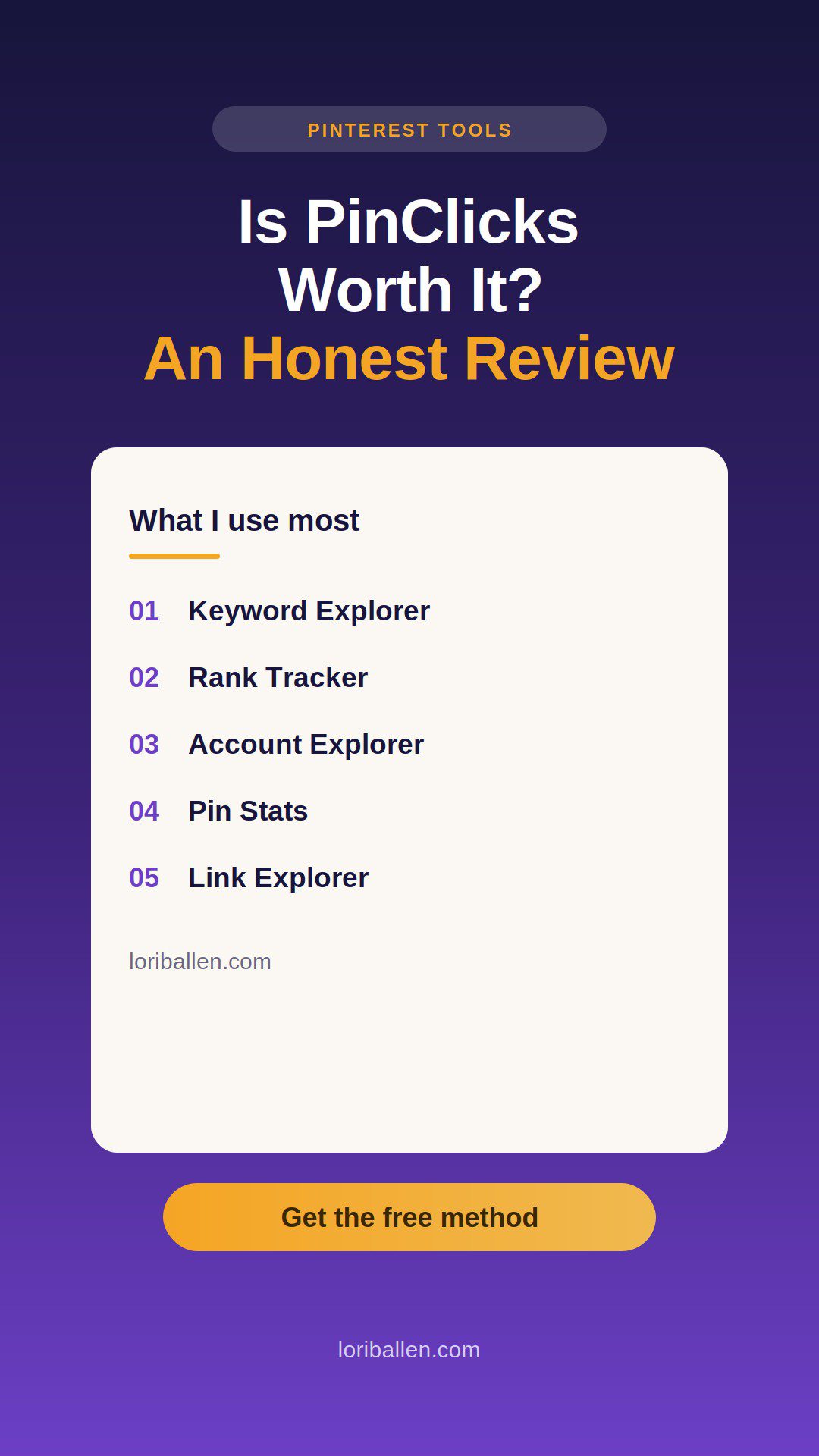
PinClicks isn’t just one tool — it’s a full stack of features that finally give me clarity on what’s working inside Pinterest. Instead of posting blind and hoping something sticks, I can track real search demand, see where my pins rank, spy competitor keywords, and even spot surprise rankings on my own content. Here’s what I use most and why it matters.

1. Keyword Research That’s Built for Pinterest

PinClicks gives me real search volume for Pinterest, not Google. That alone is the game-changer. I use the Keyword Explorer to pull 10–20 terms around a blog cluster. I don’t guess anymore. I build pin titles and descriptions around what people are actually typing in.

Screenshot

2. Rank Tracking That Shows What’s Working

The Rank Tracker tells me where my pins sit today and how they move week by week. Watching a pin climb from page 3 to page 1 for a money keyword feels like confirmation that my strategy is working. When I see something stall, I’ll swap out the image, tighten the headline, and track again.

Screenshot

3. Account Explorer (My Secret Weapon)

This is hands down my favorite tool inside PinClicks. I can drop in a competitor’s account and see the keywords they rank for. It’s like pulling the curtain back on what’s actually driving traffic for them. Instead of guessing what content to make next, I fill the gaps they’re missing.

Screenshot

4. Pin Stats That Show Me My Own Keywords

One feature I didn’t expect to love: you can put any pin into Pin Stats and see what keywords it’s ranking for. I use this constantly on my own pins. Sometimes I’ll discover I’m ranking for a keyword I never even optimized for — then I go make more content around it.

5. Link Explorer

It finds every Pinterest pin that links to a specific page or entire domain, then shows the pin URL, title, Pin Score (quality/engagement signal), date created, repins, reactions, comments, and whether it’s a repin or AI-modified. Paste a URL or domain in the box, press Return, then sort by any column to spot winners (sort by Repins or Pin Score) and click a row to open the pin on Pinterest.

Use it to audit your own links (what’s getting saved, where, and how it’s performing), uncover stolen or off-brand saves, and spy competitor URLs to see which topics, formats, and visuals earn saves. Tip: test both a full URL and just the root domain, and strip UTM parameters so you catch all variants of the same page.

Screenshot

My Results So Far

Two big things shifted when I started using PinClicks consistently:

  • Ranked keywords: My optimized pins moved up from page 3–4 into page 1–2 on several “money” terms.
  • Outbound clicks: As my rankings improved, traffic followed. Those clicks are where the commissions and sales start stacking.

Pinterest traffic isn’t instant. But with PinClicks, I can actually see what’s moving instead of posting blind and hoping.

ADVERTISEMENT

Pricing (As of 2025)

  • Pin Pro: $29/month — core features + 25 tracked keywords.
  • Pin Plus: $49/month — higher limits, exports, alerts.
  • Annual plans usually save more than monthly. Check the current deal here: https://loriballen.com/go/pinclicks

How to Save with a PinClicks Coupon

  1. Go to https://loriballen.com/go/pinclicks
  2. Pick your plan.
  3. If there’s a promo code field, enter the live coupon (if available).
  4. If not, use the free trial or the annual discount — they’re usually the best savings.

What I Like (and Don’t)

Pros:

  • Real Pinterest keyword data (not Google guesses).
  • Rank tracking tied to the exact terms I’m targeting.
  • Competitor insights through Account Explorer — I can see what’s working for others and fill the gaps.
  • Pin Stats that tell me what I rank for without guesswork.
  • Alerts that flag ranking shifts before I lose traffic.
  • Exports for pulling keyword/rank data into reports.

Cons:

  • If you’re not posting consistently, it’s probably overkill.
  • There’s a learning curve if you’ve never done keyword-led pinning.

Bottom Line

For me, PinClicks took Pinterest from “post and pray” to “post with purpose.” The Keyword Explorer gives me the right terms, the Rank Tracker proves what’s moving, and the Account Explorer keeps me ahead of competitors. Add in the Pin Stats tool, and I finally know where my content stands.

If Pinterest is part of your income plan, it’s worth it. Grab the free trial or annual discount here:
https://loriballen.com/go/pinclicks

Share this:

  • Share on Facebook (Opens in new window) Facebook
  • Share on X (Opens in new window) X

Like this:

Like Loading...

Related


Discover more from Lori Ballen Digital Marketing

Subscribe to get the latest posts sent to your email.

ShareTweet
Previous Post

How I Became an over 50 TikTok Influencer and Made $25,000 in One Month

Next Post

How I Found Out Which Pinterest Pins Make Money (With Keyword Tracking in Pinclicks)

Lori Ballen

Lori Ballen

I'm a full-time blogger. I teach entrepreneurs how to get more website traffic, generate leads, and make more money online. This website contains affiliate links that benefit me. Take a Course Get a Website Try my Tools

Related Posts

The 6-Step Pinterest Marketing Strategy (The BALLEN Method)

The 6-Step Pinterest Marketing Strategy (The BALLEN Method)

The BALLEN Method for Pinterest is a six-step Pinterest marketing strategy that turns pins into traffic, email subscribers, and sales...

The Pinterest Creator Tech Stack: 3 Tools That Run My Strategy

The Pinterest Creator Tech Stack: 3 Tools That Run My Strategy

The three tools that run my entire Pinterest strategy: Pinclicks for keyword research, Ideogram for pin images, and Tailwind for...

Is Pinterest Still Worth It in 2026? The Honest Answer

Is Pinterest Still Worth It in 2026? The Honest Answer

Pinterest is worth it in 2026 but only with the right system. Here is an honest breakdown of what works,...

Pinterest vs. Instagram: Where Should You Put Your Content Energy?

Pinterest vs. Instagram: Where Should You Put Your Content Energy?

Pinterest and Instagram compete for the same creator time. Here is how to decide where to put your energy based...

Next Post
How I Found Out Which Pinterest Pins Make Money (With Keyword Tracking in Pinclicks)

How I Found Out Which Pinterest Pins Make Money (With Keyword Tracking in Pinclicks)

7 Ebook Niches That Print Money in 2025

7 Ebook Niches That Print Money in 2025

The 5 Pinterest Niches That Exploded this year

The 5 Pinterest Niches That Exploded this year

Leave a ReplyCancel reply

This site uses Akismet to reduce spam. Learn how your comment data is processed.

No Result
View All Result

Recommended

n this image, you can see the young man in his home office, deeply engaged in blogging. He looks directly at the camera, his expression a mix of confidence and approachability. The office is inviting, with warm lighting and stylish furnishings, creating the perfect setting for creative work. The computer screen shows various blogging tools and a partially written blog post, highlighting his active role in content creation.

38 Best Product Review Bloggers that Make Money

50 Of The Best Pinterest Board Names

50 Of The Best Pinterest Board Names

Subscribe to Blog via Email

Enter your email address to subscribe to this blog and receive notifications of new posts by email.

Join 80 other subscribers

Categories

  • Affiliate Marketing Strategies (79)
  • Amazon Influencer Program (16)
  • Blogging Strategies (129)
  • Business (12)
  • Content Marketing (28)
  • Digital Products (20)
  • Make Money Online (16)
  • Marketing Tools and Resources (19)
  • Pinterest (107)
  • Real Estate (24)
  • Side Hustles (73)
  • Substack (6)
  • Youtube Channel (26)
  • Get a Website
  • Coaching
  • Lori’s eBooks
  • Lori’s Tools
Get This Theme

© 2022 Lori Ballen | This website contains affiliate links that benefit the site owner

Welcome Back!

Login to your account below

Forgotten Password?

Retrieve your password

Please enter your username or email address to reset your password.

Log In

Add New Playlist

No Result
View All Result
  • Home
  • Business

© 2022 Lori Ballen | This website contains affiliate links that benefit the site owner

This website uses cookies. By continuing to use this website you are giving consent to cookies being used. Visit our Privacy and Cookie Policy.

Discover more from Lori Ballen Digital Marketing

Subscribe now to keep reading and get access to the full archive.

Continue reading


Loading Comments...
 

    %d