My Pinterest account publishes pins every single day. I haven’t manually pinned anything in months.
That’s not an exaggeration. I run an automation that takes my blog posts, generates 20 pins per post, and queues them straight into Tailwind — automatically. The traffic compounds. The affiliate clicks stack. I focus on creating content. Tailwind handles the rest.
This is my honest breakdown of the tool I’ve been using for years. What it does, how I actually use it, what it costs, and who it actually makes sense for.
What Tailwind Is
Tailwind is a Pinterest scheduling and marketing platform. You upload pins, write descriptions, pick boards, and Tailwind publishes them at optimized times — automatically.
Calling it just a scheduler undersells it.
Tailwind has been Pinterest’s official partner since 2012. That means they’re in direct communication with Pinterest and conform to every publishing guideline. Some third-party schedulers have triggered shadowbanning or account issues. Tailwind doesn’t. It’s the safest way to automate Pinterest at scale.
The data backs it up. A study of over one million pins found that pins published through Tailwind perform 7% better on average than pins published manually. Their Communities feature — built-in group boards for niche creators — makes pins 54% more likely to go viral.
The Features I Actually Use
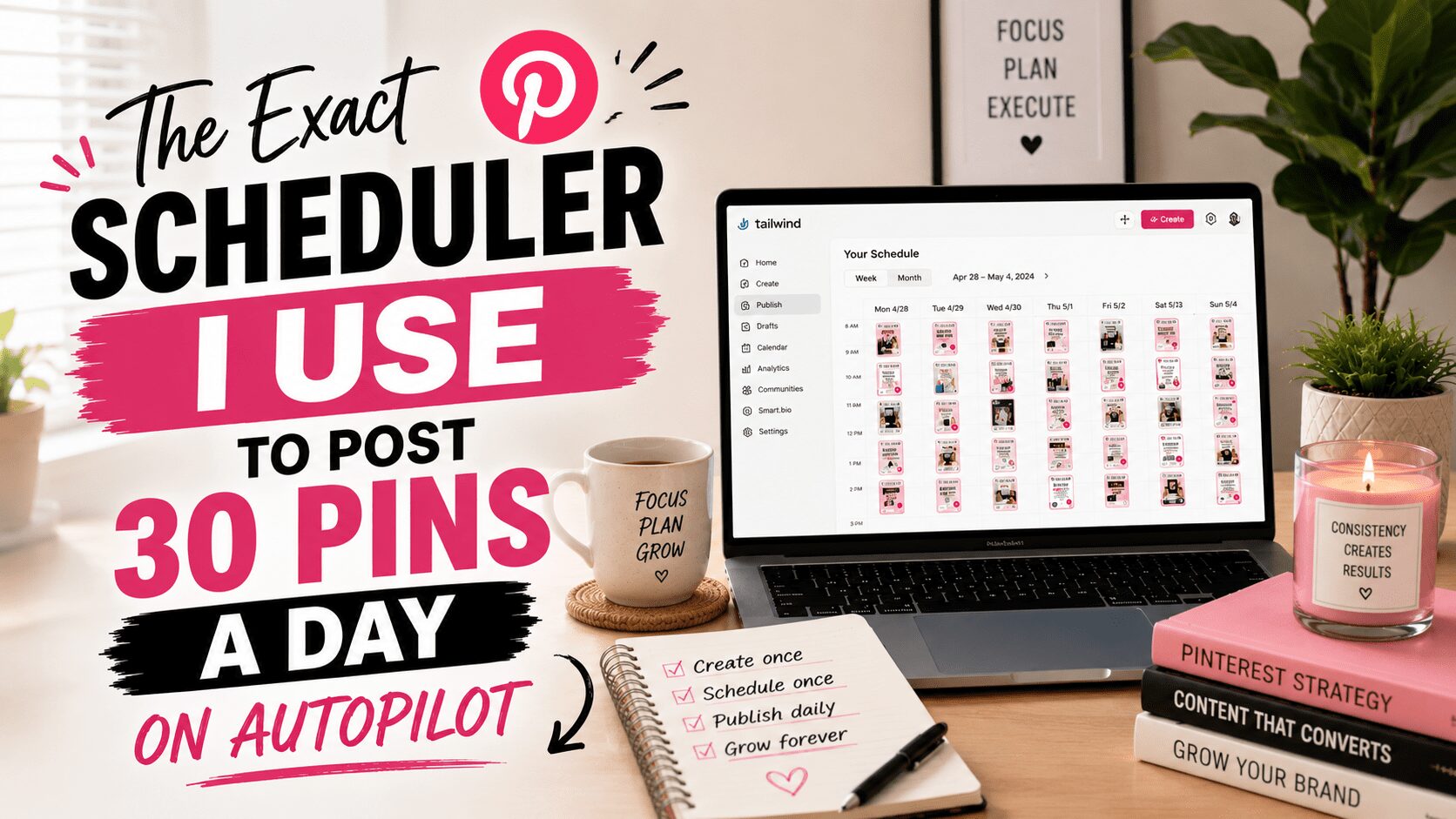
SmartSchedule
This is the foundation. SmartSchedule analyzes when your specific audience is most active on Pinterest and builds a publishing calendar around those windows. You don’t guess at timing. The algorithm does it.
I run up to 30 pins per day. SmartSchedule staggers them across the right boards at the right times. No spreadsheet tracking. No daily login. It just runs.
Bulk Upload
My automation pipeline generates 20 pins per blog post and drops them into Tailwind as a batch. That’s only possible because of bulk upload. I drop 20 pins at once, assign boards in bulk, and the queue fills in a few minutes.
Without bulk upload, running Pinterest at volume is not realistic.
Tailwind Communities
Communities are groups of creators in the same niche who share each other’s content. You share a pin to a Community. Other members re-pin it. Your reach extends beyond your own followers without paid promotion.
The Pro plan includes 5 Communities. Advanced and above unlock unlimited access.
When I’m active in a Community, the reach shows up in analytics. It’s not fire-and-forget — you have to participate — but it’s free distribution that stacks on top of the scheduling.
SmartPin
This is Tailwind’s AI pin creation feature. SmartPin pulls images from your website, writes the title and description, and generates a fresh pin design automatically every week. It runs in the background using Tailwind’s AI credit system.
I use Ideogram for custom images that match my brand. But for creators who want Pinterest running without designing anything manually, SmartPin can fill the queue with zero manual work.
Board Insights and Analytics
Tailwind shows which boards are driving traffic, which pins are performing, and which ones are getting zero traction. I use this to identify what’s working and make more of it. A pin consistently driving clicks gets 2–3 more variations. A board with no activity gets deprioritized.
Analytics turns Pinterest from a post-and-hope platform into a data-driven traffic system.
My Exact Tailwind Workflow
Here’s the exact system I run — step by step.
Step 1: A blog post goes live.
Either I publish a new post or my automation republishes an older post with today’s date. Either way, there’s fresh content that needs pins.
Step 2: 20 pin variations get created.
Each post gets 20 pins — different headlines, different angles, same URL. I generate images through Ideogram and write keyword-rich descriptions for each variation.
Step 3: Everything uploads to Tailwind in one batch.
I drop the 20 pins into Tailwind using bulk upload. Boards are assigned. SmartSchedule takes over from there.
Step 4: Pins go out automatically — every day.
SmartSchedule staggers the pins so they publish over 2–3 weeks across multiple boards. I don’t touch the account. The queue runs.
Step 5: Pinterest indexes the pins as search results.
Pinterest is a search engine, not social media. A pin doesn’t expire in 24 hours. It sits in search results and keeps getting found — for months, sometimes years.
Step 6: Traffic compounds.
A pin published today can drive traffic six months from now. The more pins in the queue, the more entry points into your content. The system builds on itself automatically.
Try Tailwind for Free
Tailwind has a free forever plan. No credit card required. You get full access to test the platform before committing to anything.
If you’re ready to see what automated Pinterest traffic looks like, start here.
[INSERT TAILWIND AFFILIATE LINK HERE]
Tailwind Pricing
There are four tiers.
Free Forever — No cost, no credit card. Limits on monthly posts and features. Good for testing before you commit.
Pro Plan — $19.99/month, or $12.99/month billed annually. 100 posts per month. Access to 5 Communities. This is the entry point for bloggers who are serious about Pinterest.
Advanced Plan — $39.99/month, or $19.99/month billed annually. 400 posts per month. Unlimited Communities. This is what high-volume pinners need.
Max Plan — Built for teams and agencies. Higher post limits, multiple accounts, full collaboration tools.
Annual billing cuts the cost roughly in half. If you’re committing to Pinterest as a long-term traffic strategy — and you should be — pay annually.
Who Tailwind Makes Sense For
If you’re publishing content and you want Pinterest traffic without manually pinning every day, Tailwind makes sense.
The problem with Pinterest isn’t strategy. It’s consistency. Most people know they should pin regularly. Nobody maintains that manually for more than a few weeks. Tailwind removes the daily habit requirement entirely.
Start here if you have at least 10 blog posts published, you’ve verified there’s Pinterest demand for your topic, and you want traffic running in the background while you create more content.
Skip for now if you haven’t launched yet, have no content to pin, or are still figuring out your niche. The tool is only as good as the content behind it.
What Tailwind Doesn’t Do
Tailwind schedules your pins. It doesn’t pick winning keywords for you. It doesn’t design images that match your brand. It doesn’t write descriptions that convert. You still need to understand what makes a pin perform — Tailwind handles the publishing side, not the strategy.
The platform has added AI features that help — SmartPin, Ghostwriter, built-in keyword research — but the core value is automation, not strategy replacement.
Tailwind also only supports Pinterest, Instagram, and Facebook. If you need a tool that covers LinkedIn, TikTok, and YouTube too, this isn’t it. Tailwind is purpose-built for visual platform marketing, and that focus is exactly why it works so well for Pinterest.
My Results Using Tailwind
Pinterest is consistently in my top traffic sources. I drive thousands of visits per month from pins that are 6, 12, and 18 months old. The compounding effect is real. The traffic I get today is built on pins I created last year.
I also earn affiliate commissions from Tailwind through their referral program. That’s passive income layered on top of the traffic the tool generates — two income streams from one tool.
That’s the kind of leverage I look for in everything I run.
Ready to Automate Your Pinterest?
Start with the free plan. Test it with your content. See how SmartSchedule fills the calendar. If it clicks the way it clicked for me, upgrade to Pro and run it properly.
[INSERT TAILWIND AFFILIATE LINK HERE]
Want the full Pinterest traffic system — keyword research, pin design, the exact automation I use — not just the tool? That’s what we build inside Ballen Academy. Members get the complete setup I described above, with walk-throughs and a community of creators doing the same thing.
Hey there! Just a quick heads-up: some of the links on this site are affiliate links, meaning I may earn a small commission if you make a purchase (including through the Amazon Associates program), at no extra cost to you. Occasionally, products featured here are gifted by brands.
I also use AI tools to help research and create content for you! While I love sharing strategies to help you succeed, please remember that everyone's journey is unique—individual results vary, and there are no guarantees. Thanks so much for stopping by!