
This page contains affiliate links. If you click through and buy, I may earn a commission at no extra cost to you. I only recommend things I actually use.
Substack 101: What I Teach Every New Writer
Notes, articles, the paywall, the 2% rule, and the settings page that scares everyone. This is the beginner call I run inside Substack Skool, cleaned up so you can follow it start to finish.
The two guides I hand every new Substack writer
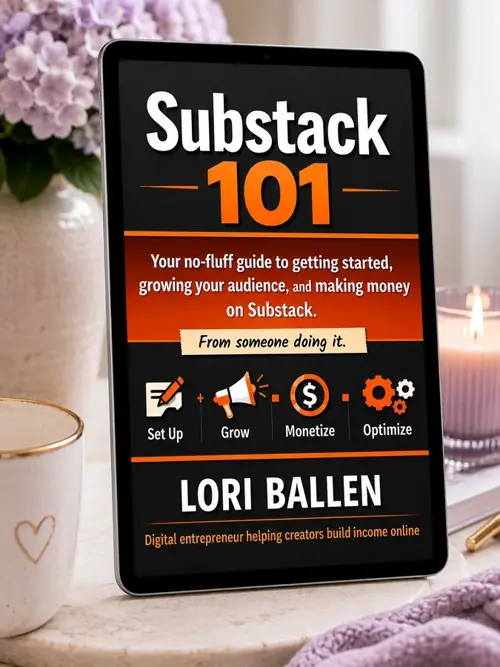
Substack 101
How I set up, write notes, place the paywall, and turn free readers into paid ones.
From Idea to Income
How to turn what your readers respond to into a guide they buy, so your Substack pays more than subscriptions.
Bring your Substack. I’ll audit it live.
Substack Skool is my community for writers who want paid subscribers. Every month we meet live, and members bring their Substack for a real audit of their notes, paywall, and numbers.
- A live call with me every month
- Live audits of your actual Substack
- Playbacks and handouts for every call
- The Substack 101 guide, included
What Substack actually is
It started as a newsletter tool. It isn’t one anymore.
Substack is a publishing platform. You can write articles, post short social notes, host a podcast, post video, and charge for any of it. Brands can now pay to sponsor your newsletter right inside the platform too.
Your Substack profile works like a website. Your articles look like blog posts. When you publish one, it also lands in your subscribers’ inboxes. That’s the newsletter part. It really is that simple.
The part nobody believes
Substack has a For You feed. It shows your notes to people who don’t follow you yet, based on what they’re interested in. Same idea as YouTube’s home page.
That means you don’t need an audience to start. When I hit Bestseller, my YouTube audience didn’t do it. I never mentioned Substack there. My early subscribers came from inside the Substack app. I checked the dashboard to prove it.
Who it’s for, and who it isn’t
Substack loves storytellers. Mature creators are doing especially well. One of the writers I point students to is in her 80s and gets more engagement than most people half her age.
Personal finance, life transitions, health journeys, caregiving, digital marketing, home and family. All big on Substack.
What it isn’t good for: hyper-local stuff. If you’re a real estate agent who wants to post listings to buyers in one town, Substack is the wrong tool. Readers subscribe to a person, not a zip code.
Is anything off-limits? On my call we searched a caregiving topic live and found active, engaged communities. Politics can get pushback, like it does everywhere. Beyond that, if there’s a reader for it, there’s a place for it.
Notes, articles, and restacks
Beginners mix these up constantly. Tap each one.
Short social posts that find new readers
A note is a short post. Aim for around 250 characters and keep it well under 400. One sentence per line, white space between lines. It should read almost like a poem.
Notes are how strangers find you. A good one goes out in the For You feed, someone taps your name, reads an article, and subscribes. I post about three a day, scheduled morning, midday, and evening.
Every note tells a complete mini story on its own. No ‘click here to read more.’ Calls to action in notes don’t work, especially before people trust you.
Story-driven posts that land in the inbox
Substack calls these posts. I call them articles. They look like a blog post, but they read like a letter to one person.
Forget word count. The old SEO habit of 2,000-word posts doesn’t apply here. Write as long as the story needs and stop. Shorter usually wins.
My structure: open with a story, then put the how-to behind the paywall. One article a week is plenty for most of us.
Resharing your best article with a fresh note
A restack is a reshare. Once a month, I take my top-performing articles and restack them with a brand-new intro note and a new featured image. To most readers, it looks brand new.
This is the one time a link belongs in a note. The note does the selling, the article does the converting.
You can schedule these. Copy the article link, start a new note, paste the link, write your intro, and use the schedule button. It works just like a restack with a note.
The 2% rule
Plan on about 2% of your free subscribers going paid. Type your free subscriber count and see what to expect.
Your paid subscriber estimate
The 2% rule is a planning benchmark, not a promise. It has matched my own numbers closely. Your results depend on your niche, your writing, your offer, and how consistently you show up.
Why the badge matters
Substack gives you a Bestseller badge at 100 paid subscribers. The next levels are 1,000 and 10,000. Each level unlocks more features. Bestsellers get things like connections that let AI tools read your analytics and spot your top posts for you.
Work backward. If 2% go paid, the first badge takes roughly 5,000 free subscribers. That’s a number you can plan for with notes.
What it costs readers
Most Substack writers charge somewhere between $5 and $10 a month. Offer an annual plan with a real discount. Before you pick a number, look up three publications in your space and see what they charge.
Where the paywall goes (it’s not the bottom)
This is the fix I make on almost every Substack audit.
Most people let readers scroll the whole article and put the paywall at the very end. Nobody gets there. Most readers never reach the bottom of anything.
Put the paywall right after the hook. Tell the story, set up the problem, then make them pay to get the answer. The pull of the article is what sells the subscription. Not your perks list.
Here’s something most writers don’t want to hear. Readers rarely read the perks you list in your subscription settings. They pay because the article made them want the rest.
Turn on paid right away
If you’re starting from zero, open paid subscriptions from your very first post. Your first reader could be your first paid subscriber. There’s no reason to make them wait.
Go back and fix your old posts
Already have articles with no paywall? Edit them. Add a paywall after the hook. Then restack each one with a fresh note and a new featured image so it gets a second run.
Your Substack dashboard, one section at a time
Go to Dashboard, then Settings. Almost everything lives on one long page. It looks scary. Take it one section at a time.
01Publication settingsName, description, logo, language.›
Your publication name is the name at the top of your profile. That’s your newsletter. Write a short tagline that says who it’s for in one line.
Not sure what to say? Have AI interview you, one question at a time, and write the tagline and About page from your answers.
02Payment settingsMonthly price, annual price, benefits.›
Set a monthly and an annual price. Make the annual discount real, so it actually feels like a deal.
Fill in your benefits, but don’t lean on them. The article sells the subscription.
03Auto-paywallLock posts after a free window.›
Substack can automatically paywall your articles after a free preview period. It’s a safety net for the posts where you forget.
I still place the paywall by hand on new articles, right after the hook.
04Website layoutTabs, theme, colors.›
Your Substack is a website. You can customize the tabs, the theme, the colors, and the layout from the same settings page.
Don’t spend a week here. Pick something clean and get back to writing notes.
05AnalyticsWhat’s working and where readers come from.›
Check which notes and articles perform, and where your subscribers come from. This is how I proved my growth came from inside the app.
If one note ever goes viral, study it. Figure out the emotional hook and try to repeat it. One viral note is a moment, not a strategy.
06Share assetsFree graphics from your featured image.›
Substack can turn an article’s featured image into ready-made graphics for places like Pinterest and Instagram. Most people never find this.
Substack uses your first image as the featured image by default. You can change which image it uses inside the article editor.
Stuck on a setting? Open Claude or Gemini in another tab, paste what you see, and ask what it does. That’s exactly what I do.
My restack note template
The monthly restack note
Use this when you reshare a top article. Swap in your own story. Keep it short.
I almost didn’t publish this one.
[One line about the moment or problem in the article.]
[One line about what changed.]
It’s still the post people message me about most.
[The one-line lesson, in bold.]
Paste the article link into the note, then schedule it. Give the article a new featured image first so it looks fresh in the feed.
Five beginner mistakes
Waiting to turn on paid
Building a free list first, then flipping a switch months later.
Fix: open paid from day one.
Paywall at the bottom
Readers never scroll that far, so they never see the offer.
Fix: paywall right after the hook.
Links in every note
Notes that beg for clicks before readers know you.
Fix: tell a full mini story. Save links for restacks.
Writing for Google
Long, keyword-stuffed articles that read like a blog from years ago.
Fix: write to one person. Stop when the story’s done.
Selling before creating
Planning products before you know what readers want.
Fix: create first. Your readers will show you the product.
“Substack is soul plus strategy.”Lori Ballen
The Substack 101 checklist
This is the same assignment I give my students. Check each one off.
Substack 101: the real answers
Is any topic off-limits on Substack?
Not that I’ve found beyond politics, which gets pushback on every platform. Health and caregiving topics have active, engaged communities. If there’s a reader for it, it can work.
How long should a Substack article be?
As long as the story needs. No more. Shorter is usually better on Substack. The long-post habit from Google SEO doesn’t apply here.
Should my notes link to my articles?
No. A note should tell a complete mini story by itself. Click-here notes don’t perform, especially before readers trust you. The only time I share an article link is when I restack it with a note.
Where should I put the paywall?
Right after the hook and the story setup. Not at the bottom. Most readers never scroll to the end, so a bottom paywall never gets seen.
Should I start paid or build a free list first?
Start paid from day one. Even your first reader could become a paid subscriber.
Should I add paywalls to articles I already published?
Yes. Edit them, add a paywall after the hook, then restack each one with a fresh note and a new featured image.
How many paid subscribers should I expect?
Plan on about 2% of your free subscribers. At 1,400 free subscribers, that’s around 28 paid. It’s a benchmark, not a guarantee.
How often should I post on Substack?
About three notes a day and one article a week. Schedule them ahead so you stay consistent. Give it a few months before you judge the results.
How do I schedule a restack?
Copy the article link, create a new note, paste the link, write a strong intro, and set a future date and time with the schedule feature.
Do images matter on Substack?
Yes, especially the featured image. A wide image like a video thumbnail shows up best. I make mine with AI image tools, and I give an article a new one every time I reshare it.
When should I think about products?
Later. Create first. Paid subscriptions, sponsorships, guides, and coaching all come from what your readers respond to, and you can’t see that until you have content out there.
More on building your Substack
Turn on paid. Post three notes a day. Bring it to me for an audit.
Want more field notes like this? Get Letters from Lori.
Hey there! Just a quick heads-up: some of the links on this site are affiliate links, meaning I may earn a small commission if you make a purchase (including through the Amazon Associates program), at no extra cost to you. Occasionally, products featured here are gifted by brands.
I also use AI tools to help research and create content for you! While I love sharing strategies to help you succeed, please remember that everyone's journey is unique—individual results vary, and there are no guarantees. Thanks so much for stopping by!

