This page contains affiliate links. If you click through and sign up or buy, I may earn a commission at no extra cost to you. I only ever recommend tools I actually use.
Free keyword tools tell you a phrase exists. Paid ones tell you if it is worth your afternoon.
Here is exactly what you get at each tier, the one number that decides everything, and the honest line where free stops being enough.
The part nobody tells you about keyword research
For a long time I treated research as the whole job. I would find a great keyword, make one beautiful pin, publish it, and wait. Then I would go find another great keyword. One pin per keyword. That is not a Pinterest strategy, that is a hobby.
The keyword tells you what to make. It does not put anything in front of anybody. Pinterest rewards accounts that publish steadily, and a great keyword sitting behind one lonely pin gets almost none of that.
What changed my numbers was scheduling. I research once, then I turn that one keyword into a run of pin variations spaced out over weeks, loaded into Tailwind, going out while I am asleep or in another country. The research got better because the volume made it matter.
See how I schedule with Tailwind →Affiliate link. I pay for my own Tailwind plan every month. If I had stopped using it, it would not be on this page.
The whole decision in four ideas
Four ways to find a Pinterest keyword
Type and watch the autocomplete
Every suggestion that drops down is a phrase somebody actually searched. So are the guided search bubbles across the top of the results. This is genuine audience vocabulary and it costs nothing.
What it will never tell you is whether a phrase gets a hundred searches a month or a hundred thousand. You walk away with fifteen candidates and no way to rank them.
Direction, not size
Trends shows interest over time and lets you hold two keywords side by side. It is genuinely useful for seasonal planning, so you know when to start pinning holiday content.
The catch is that everything is relative. One keyword showing twice the interest of another could mean two hundred against one hundred, or twenty thousand against ten thousand. Those are completely different decisions.
Volume, variations, and trend in one place
This is the tier I pay for. Type a keyword, see the monthly search volume. Expand to related variations and see each one broken out separately, which is where most of the wins hide. Then check whether that term is climbing or fading.
Volume plus variation plus direction is what turns research into a decision. I use Pinclicks for this. Two searches per topic, the exact phrase and the broader outcome people actually want, and I pick from what comes back.
Only if you already pay for one
Some of the big SEO platforms have started folding Pinterest data into their keyword sets. If you are already paying for one of those, go look before you add another subscription.
The coverage is usually thinner than a Pinterest-first tool and the whole interface is built around Google. If the Pinterest data turns out shallow, a dedicated tool is the better spend.
Should you actually pay for volume data?
Pick one from each row. This is the same call I make with coaching clients.
The seven-step loop I actually run
The research only pays off if the pins actually go out
Tailwind is where my run of variations lives. I load a batch, it spaces them across weeks and drops them on the boards while I am doing something else. Up to thirty pins a day if I want them. It is the difference between having a good keyword and having traffic from one.
Check Out Tailwind →My pin description skeleton
Drop your keyword in, keep the shape. The search terms go at the end, never the beginning.
[Blunt result or number in one sentence. No warm up.]

[What the reader gets, specifically. Two or three short sentences. Name the steps, not the vibe.]

[One sentence on who this is for or what it replaces.]

Keywords: [primary phrase], [variation one], [variation two], [broader outcome phrase], [related topic], [related topic]
“Two pins take the same afternoon to make. Only one of them gets found.”— Lori Ballen
Before you spend anything
Can I build real Pinterest traffic on free tools only?
Yes, in the early stage. If you are still testing whether Pinterest suits your content, the search bar and Trends will get you moving. The gap shows up when you have fifteen candidate keywords and time for five, and no way to tell which five.
What is the actual difference paid data makes?
It turns a guess into a decision. Same research time, same image time, same scheduling time. The only variable you changed was picking the phrase more people search. That difference compounds across every pin you make for the next year.
Why does my keyword show almost no volume?
Usually because it is a tool name or a brand name. Those reliably come back near zero on Pinterest. Search the outcome instead. People do not search the software, they search the result they want from it.
Do I need a scheduler if I already have good keywords?
If you are publishing more than a handful of pins a month, yes. Manual pinning caps your volume at whatever you have patience for that day, and Pinterest rewards steady output. The scheduler is what lets one keyword turn into weeks of distribution.
Should I put the year in my pin title?
No. It dates the pin the moment the year turns, and pins keep earning for years. Leave it out and the same pin stays relevant indefinitely.
The Ballen Pinterest Method
My six-step Pinterest workflow written out plainly. Research, title, image, schedule, review, repeat. Send it to yourself and work off it.
You are in. Check your inbox. Grab it now: Download the PDFThe two guides that cover this end to end
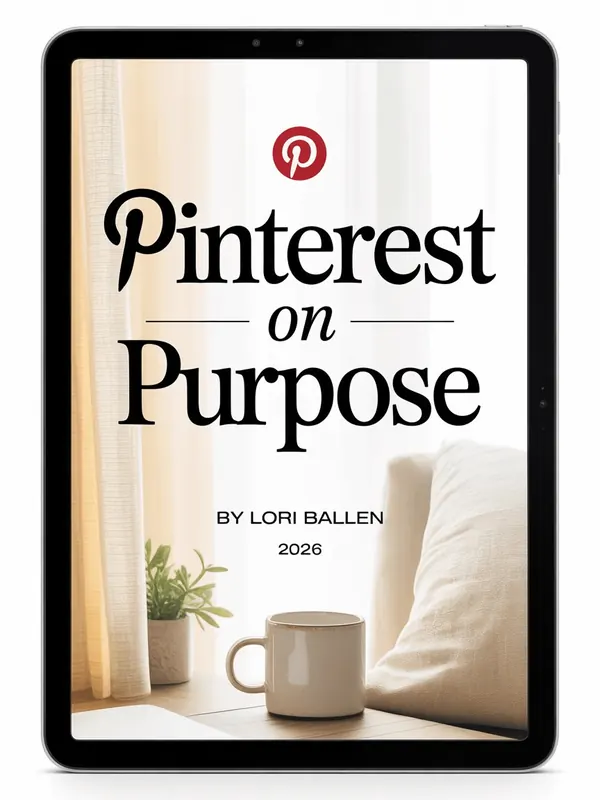
Pinterest on Purpose
The no fluff system for Pinterest traffic and passive income. Keyword to published pin, start to finish.

Pinterest Power Stack
Turn one post into many. How I get a run of pins out of a single URL without repeating myself.
Pick the phrase on purpose, then send the pins out on a schedule.
Not ready to buy? Grab the free workflow above, or get Letters from Lori.
Hey there! Just a quick heads-up: some of the links on this site are affiliate links, meaning I may earn a small commission if you make a purchase (including through the Amazon Associates program), at no extra cost to you. Occasionally, products featured here are gifted by brands.
I also use AI tools to help research and create content for you! While I love sharing strategies to help you succeed, please remember that everyone's journey is unique—individual results vary, and there are no guarantees. Thanks so much for stopping by!


