
The Facebook image post strategy, no face required
No video. No camera. No big following. Just a plain line of text on a clean background, posted consistently, built in batches. Here is the five step assembly line, the tools for each step, and the part almost everybody skips.
- Find what is already working in your niche
- Write fifty lines with AI, keep twenty
- Batch every graphic in one sitting
- Schedule weeks of posts in one afternoon
- Scale the one post that runs away from the rest
If you only take four things from this
Plain images still work
A readable line of text on a clean background gets shared. It does not need to be pretty. It needs to be felt.
Volume beats perfection
One post a week does nothing. Five a day gives the algorithm enough tries to find your people.
AI writes the lines
You are not sitting there inventing quotes. You are editing a list of fifty down to the twenty that land.
The winners tell you what to make next
One post always outruns the rest. Your job is to notice it and make five more like it.
The five step assembly line
Same order every time. The order is what turns this from a chore into a batch.
Find what is already working
Do not start with a blank page. Start with proof.
Pick three or four pages in your niche that post plain text-on-background graphics several times a day. Open their Photos tab and scroll. You are looking for the posts with far more likes and shares than the rest of that page gets normally.
Screenshot those. Ten is plenty. What you are collecting is not content to copy, it is evidence of what that audience already responds to. The wording, the length, the feeling underneath it.
Let AI write fifty lines, then cut it to twenty
Upload your screenshots to ChatGPT and ask it for 25 quote-style posts in the same spirit. Tell it not to number them, because unnumbered output pastes straight into a spreadsheet without cleanup.
Run it a couple of times until you have fifty to a hundred lines.
Now here is the part people skip. Delete most of them. AI will hand you fifty lines and about thirty will be forgettable. The twenty you keep are the actual product. If a line does not make you feel something when you read it out loud, it will not make a stranger stop scrolling either.
Batch the graphics in one sitting
Do not make these one at a time. That is the difference between an afternoon and a month.
Canva’s Bulk Create feature will take your spreadsheet column of quotes, drop each one into the same template, and generate the whole batch in one pass. Pick one or two fonts, keep it clean, download the lot as a zip.
If you want the backgrounds to look less like everybody else’s, Ideogram will generate original backgrounds and textures you can drop behind the text. And if you want a different design tool entirely, Kittl has sharper typography templates than most, which matters a lot when text is the whole design.
Schedule weeks in one afternoon
Posting five or six times a day by hand is how people quit in week two.
I bulk upload the whole zip into a scheduler and sort the designs into time-of-day buckets: something motivational in the morning, something practical midday, something softer in the evening. Post Planner is what the workflow in this post is built around, and Meta Business Suite will do a simpler version of it for free if you are not ready to pay for anything yet.
Colour-code the calendar so you can see at a glance whether you have gone three days without posting anything practical. Consistency is the whole strategy. The scheduler just makes consistency survivable.
Find the winner and make five more of it
After a couple of weeks the data will surprise you. One post will run away from the others, and it is almost never the one you were proud of.
When that happens, do not move on. Remake it. Same idea, different wording. Same wording, different colour. Turn it into a Reel. Post it again in six weeks, because almost nobody saw it the first time.
This is also where cross-posting pays. Repurpose.io pushes the same graphics out to Instagram, Pinterest and Threads automatically, so one batch feeds four places instead of one.
The page is rented. The list is yours.
Here is the uncomfortable part of building on a platform you do not own. Reach can dry up overnight, rules change without warning, and a page that was working in March can go quiet in April for reasons nobody explains to you.
So put something at the end of the chain that you actually own. A simple free download, a link in your page bio, a post once a week pointing at it. Kit is free up to 10,000 subscribers, so this costs you nothing to start.
Every post you make is renting attention. The email address is the only part you get to keep.
What I use, and what it costs
Every one of these has a free way in. Start free and only pay for the one that is saving you real hours.
| Tool | What it does here | Free option | Paid from | |
|---|---|---|---|---|
| Ideogram | Original backgrounds and textures for your graphics | Free plan | paid tiers | Try Ideogram free → |
| Kittl | Design tool with much stronger typography templates | Free plan | paid tiers | Try Kittl free → |
| Repurpose.io | Pushes one batch to Instagram, Pinterest and Threads | Free trial | paid tiers | Start a free trial → |
| Kit | Turns Facebook readers into an email list you own | Free to 10,000 | $39/mo | Start free on Kit → |
Some of the links here are affiliate links. If you sign up through them I may earn a commission at no extra cost to you. I only share tools I actually use.
A closer look at each one
Ideogram
Generates original backgrounds and textures so your quote graphics do not look like the same three Canva templates everybody else is using. It also handles text inside an image better than most. Free plan to start.
Kittl
When the text is the entire design, typography is the whole game. Kittl has sharper type templates than most design tools, and there is a free plan to see if you like it.
Repurpose.io
Sends the same batch of graphics out to Instagram, Pinterest and Threads automatically. One afternoon of work ends up feeding four platforms instead of one.
Kit
Facebook can change the rules on you overnight. An email list cannot be taken away. This is where I send people so I still have them if a page ever goes quiet. Free up to 10,000 subscribers.
The written versions
Side Hustle to Six Figures
The solopreneur playbook for stacking income streams that keep paying after the work is done.
From Idea to Income
How to turn an audience into a product people actually buy, and sell it without a launch.
Five mistakes that stall this out
- Posting once a day and calling it consistent. This model runs on volume. Five or six a day is the floor, and that is only survivable if you batched and scheduled ahead.
- Publishing the AI output as-is. Fifty lines in, twenty good ones out. The edit is where the whole thing lives, and readers can feel the difference immediately.
- Making every graphic from scratch. Bulk creation turns a month into an afternoon. If you are designing one at a time you will burn out before the data arrives.
- Copying the exact posts you screenshotted. You are studying the pattern, not lifting the wording. Copy the feeling, write your own line.
- Never collecting a single email. The page is rented. If Facebook changes the rules or your reach dries up, an email list is the only thing that survives it.
Before you start
Do I need a big following to start?
No, and that is what makes this model appealing. Reach on this kind of post comes from shares, not from your follower count. A page with a few hundred followers can have a post travel much further than the page size suggests.
Do I need to show my face or make videos?
No. That is the entire premise. Text on a background, posted consistently. Nobody needs to know what you look like or hear your voice.
How long before it earns anything?
Longer than the headlines suggest. You need enough posts for the algorithm to find your audience and enough weeks for the data to show you which ones work. Treat the first month as research, not income.
Can I use AI to write the posts?
Yes, and you should, because writing a hundred lines by hand is the reason most people stop. Just never publish the raw output. Edit it hard and cut anything that does not make you feel something.
What if my page stops getting reach?
It will happen at some point, to everybody. That is why the step people skip matters most. Send readers somewhere you own, like an email list, so a quiet month on one platform does not take everything with it.
Can I post the same content to other platforms?
Yes, and you should. The graphics work on Instagram, Pinterest and Threads with no changes. Automating that is the cheapest way to multiply the value of a batch you already made.
“You are not trying to make one post go viral. You are building a machine that gives you fifty chances a week.“— Lori Ballen
Get Letters from Lori
My weekly notes on building a one-person business after 50: what I’m building, what’s working, and what I’d do if I were starting over. Free, straight to your inbox.
Loved this? Pin it.
Hover the image and tap the Pinterest Save button to keep this on one of your boards.
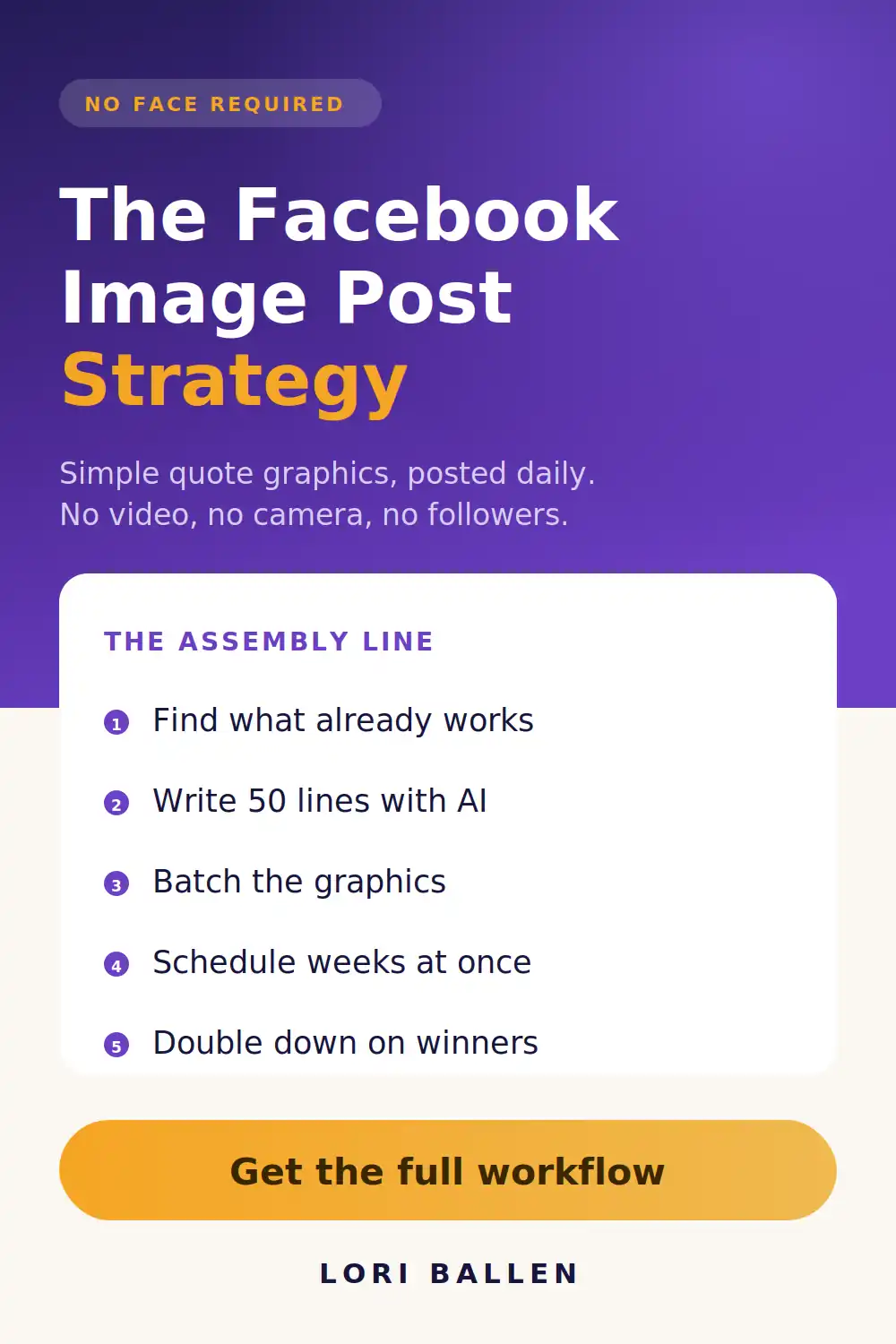
Let’s set up your posting machine
In group coaching we pick your niche, build your first batch together, and set up the schedule so it actually runs without you babysitting it every morning.
Join group coaching →Batch one afternoon. Post for a month.
Want it in your inbox instead? Get Letters from Lori, my field notes on building a business that earns for the long haul.
Hey there! Just a quick heads-up: some of the links on this site are affiliate links, meaning I may earn a small commission if you make a purchase (including through the Amazon Associates program), at no extra cost to you. Occasionally, products featured here are gifted by brands.
I also use AI tools to help research and create content for you! While I love sharing strategies to help you succeed, please remember that everyone's journey is unique—individual results vary, and there are no guarantees. Thanks so much for stopping by!


