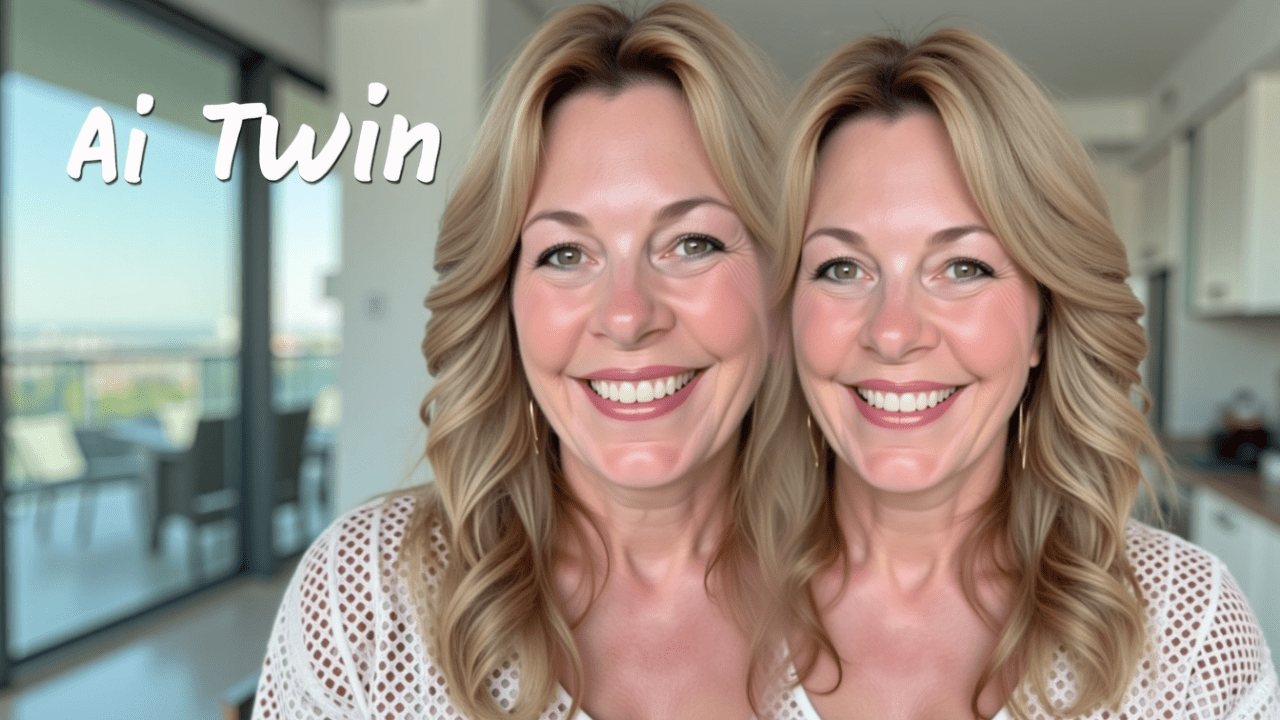
I always thought having a digital clone was something straight out of a high-budget sci-fi movie. Pure fantasy, right? Well, the truth is, I created an AI Twin, in just a few minutes, and in this guide, the real me is going to show you exactly how I did it.
That’s right! I created my AI Twin, generated entirely by a platform called BigVu. Honestly, creating it was way simpler than I expected, and it has been an absolute game-changer for my business. It’s allowed me to scale my video content in ways I never thought were possible. By the end of this guide, you’ll know exactly how to create your very own professional AI Twin.
Try BIGVU and use my BIGVU coupon code to save: K2CJ1TBI.
If you’re a content creator, a business owner, or a marketer, you know the grind. That endless cycle of scripting, filming, editing, and posting… it’s a full-time job on top of your actual job. You want to make more content, reach more people, and keep that personal connection with your audience, but there are only so many hours in a day. Let’s be real: getting on camera gets old, the setup takes forever, and content burnout is a very real threat.
So, what if you could film just once and then generate hundreds of videos from that single recording? What if you had a digital version of yourself that never gets tired, never messes up a line, and can even speak multiple languages?
This isn’t science fiction anymore. This is the power of an AI Twin, and BigVu has made this tech accessible to everyone. In this guide, I’m going to walk you through the whole thing in three simple steps. We’ll cover everything from recording the perfect training video to generating your first clip and all the powerful ways this can grow your business. This tool lets you create up to ten times more video content without ever stepping in front of a camera again. It’s time to work smarter, not harder.
Step 1: Record Your Training and Consent Videos
Alright, this first step is easily the most important part of the whole process. Think of it this way: the quality of your AI Twin is a direct reflection of the quality of the video you feed the AI. Garbage in, garbage out. So, spending a little extra time getting this right will pay off big time. You’ll need to create two short videos: a training video and a consent video.
Let’s start with the main training video. BigVu asks for at least one minute of footage, but I’d recommend aiming for two to five minutes of you just talking naturally. This video is what the AI studies to clone your voice, your facial expressions, your mannerisms—your entire on-camera presence.
To get the best results, think of this like you’re taking a professional headshot, but for video. Follow these key guidelines.
First, your lighting has to be on point. Get a good light source, like a ring light or softbox, and put it right in front of you. You want bright, even light on your face with no weird shadows. And definitely don’t sit with a window behind you, or you’ll turn into a silhouette, and the AI won’t be able to see your features.
Second, your background needs to be simple and clean. A solid-colored wall is perfect. Avoid busy backgrounds with distracting patterns, objects, or people walking around. The focus has to be 100% on you. Using a green screen is also a great move because it gives you flexibility later, but a plain wall works just fine.
Third, your delivery is key. Speak clearly at a natural, conversational pace. Don’t rush it. Enunciate your words and leave a quick, one-second pause between sentences. Most importantly, look directly into the camera lens, not at your screen. This creates that direct connection with the viewer, and the AI will learn to do the same.
Fourth, let’s talk about gestures. Natural hand movements can make your AI Twin feel way more dynamic and less robotic. Just keep your gestures smooth and below your chest, inside the frame. Try to avoid any super-fast, jerky movements or touching your face, since that can confuse the AI.
So, to recap the training video: find a quiet room, set up great frontal lighting, use a plain background, look into the lens, speak clearly, and use some natural hand gestures.
Next up is the consent video. This is a crucial, non-negotiable step. BigVu takes security and ethics very seriously, and this video ensures that nobody can create an AI Twin of you without your permission. The platform gives you a specific script that you have to read word-for-word. By recording it, you’re giving your legal consent for BigVu to create your avatar. It’s a straightforward step that builds a necessary layer of trust and security.
Step 2: Upload and Generate Your AI Twin
Once you’ve got your high-quality training video and your consent video saved on your computer, it’s time for the fun part: uploading them and letting the AI do its thing.
You’ll need to do this on the BigVu web platform, not the mobile app. Just log into your BigVu account and head over to the “Branding” section, which you’ll find in the menu on the left. This is your hub for logos, colors, and now, your AI Twin.
Inside the Branding section, you’ll see an option for your AI Twin with upload slots for both the training and the consent videos. Upload each file to its spot—and maybe double-check you put the right video in the right place!
After they’re uploaded, you’ll see a button that says something like “Generate with AI” or “Create My Twin.” Go ahead and click it.
Now for the hardest part: waiting. Creating a realistic digital clone is a seriously complex process. The AI is analyzing everything from your vocal patterns and facial movements to your unique mannerisms. It isn’t instant. The generation process usually takes between 4 and 10 hours. So, you can close the window, go live your life, and trust the system is working. BigVu will shoot you an email the second your AI Twin is ready. It’s kind of like waiting for a cake to bake—you can’t rush it, but the result is so worth it.
Step 3: Create Your First AI-Powered Video
This is where you really get to see the magic happen. Once you get that email saying your AI Twin is ready, you can start creating content without ever hitting “record” again.
It all starts with a script. You’ve got two great options here. You can either write your own script and paste it into a BigVu project, or you can use BigVu’s built-in “AI Magic Writer.” This tool is amazing—it can generate a professional script for you from just a few keywords. It’s a huge time-saver for crafting sales pitches, marketing videos, and social media content.
Once your script is loaded into the project, you’ll see an option to select an avatar. Instead of the stock avatars, you’ll now see your own face there—your new AI Twin. Select it.
This is also where one of the most powerful features comes into play: languages. Your AI Twin isn’t stuck speaking English just because you recorded the training video in English. You can take that script and have your AI Twin deliver it perfectly in Spanish, French, German, or dozens of other languages. BigVu supports 29 of them, which instantly opens your content up to a global audience without you needing to be a polyglot. Think about the possibilities for international sales, global training, or marketing campaigns—all localized with a single click.
After choosing your Twin and the language, just generate the video. The AI gets to work, synthesizing your voice and mapping your likeness to the script, creating a video of you speaking the lines with realistic expressions.
But it doesn’t stop there. Once the video is generated, you can pop it into BigVu’s editor to add that professional polish. This is where you can automatically add captions—a must-have for social media where people watch on mute. You can add your company logo, drop in some background music, and even replace the background. Remember that plain wall from Step 1? Now you can swap it for a virtual office, a branded graphic, or any image you want. It’s a one-stop shop that takes you from an idea to a fully produced, ready-to-publish video in minutes.
This technology completely redefines what’s possible for content creators. It’s a force multiplier that saves time, cuts costs, and removes all the friction of traditional video production.
So, to recap, it’s just three steps:
First, record a top-notch training video and a consent video, paying close attention to your light and sound.
Second, upload them to the BigVu web platform and let the AI work for a few hours.
And third, write a script, pick your Twin, and generate an endless supply of professional videos.
If you’re ready to get your time back and scale your video content like never before, you’ve got to try this for yourself.
And now I want to hear from you. What’s the very first video you would create with your new AI Twin? Would it be for marketing, training, or social media? Let me know in the comments below.
Conclusion
The future of video is here. It’s no longer about spending hours setting up a camera for every single video you need to make. It’s about using powerful tools like the BigVu AI Twin to automate the heavy lifting, maintain that personal connection with your audience, and scale your message across the globe. This is your chance to build a content creation engine that works for you, 24/7. Thanks for watching, and I can’t wait to see what you create. Use my BIGVU coupon code and save on your subscription: K2CJ1TBI
Hey there! Just a quick heads-up: some of the links on this site are affiliate links, meaning I may earn a small commission if you make a purchase (including through the Amazon Associates program), at no extra cost to you. Occasionally, products featured here are gifted by brands.
I also use AI tools to help research and create content for you! While I love sharing strategies to help you succeed, please remember that everyone's journey is unique—individual results vary, and there are no guarantees. Thanks so much for stopping by!


