The Omnibar is one of IDX Broker’s most distinctive features and one of the most consistently underappreciated by agents who are setting up their site. If you have looked at heat map data of real estate website user behavior, the search bar is where almost all the meaningful action happens. Buyers land on a real estate website with one primary goal: find homes to browse. The faster and more intuitively they can get to that search, the longer they stay, the more listings they view, and the more likely they are to register as a lead. The Omnibar is IDX Broker’s response to that behavioral reality.
What the Omnibar Is
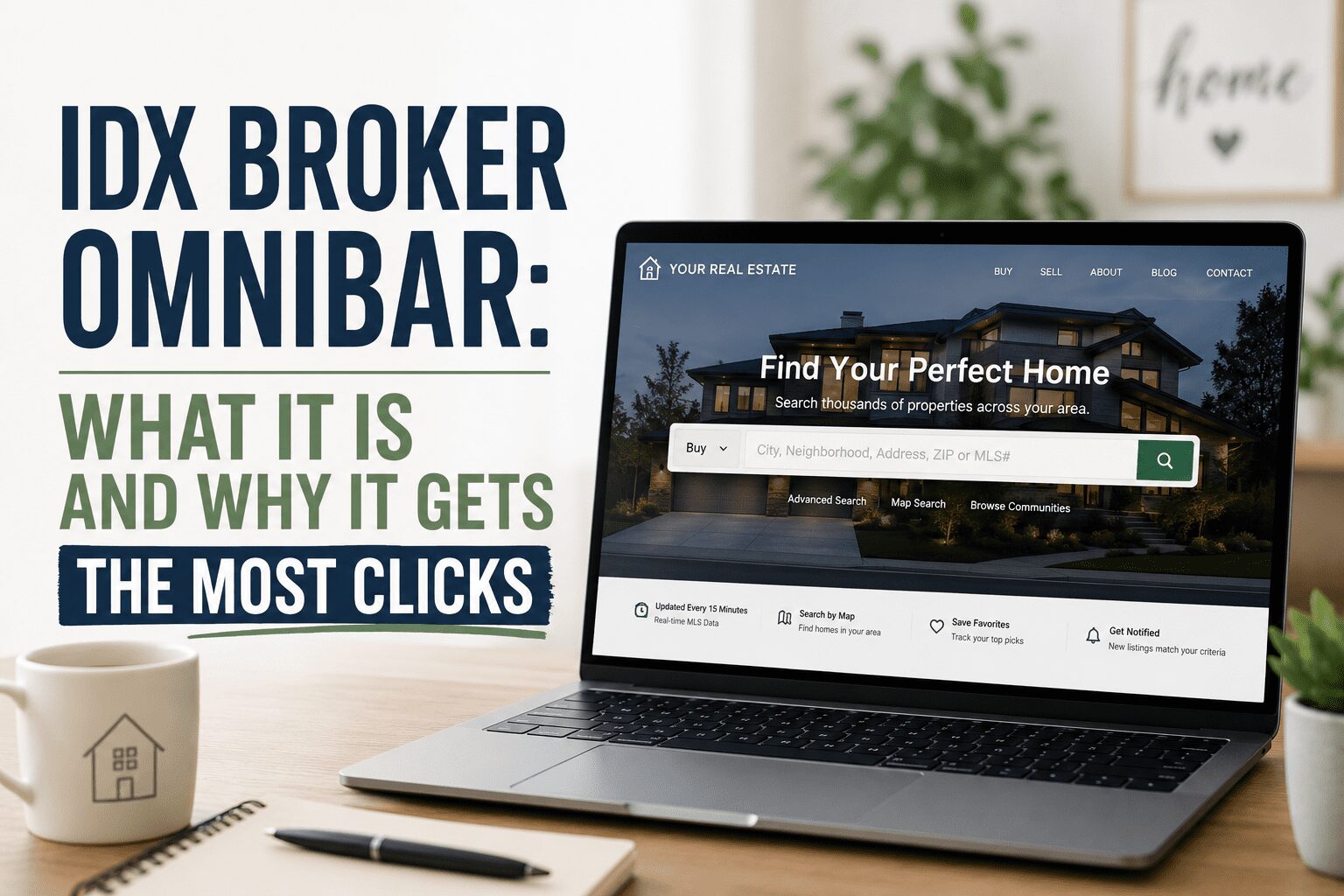
The Omnibar is a unified search field that allows buyers to search by address, city, zip code, neighborhood name, MLS number, school district, or any other property-related keyword, all from a single input field. Instead of presenting buyers with multiple dropdown menus, separate filter fields for property type, bedrooms, price range, and location that they have to navigate before they can see a single result, the Omnibar gives them one intelligent box that handles all of it.
As a buyer types, the Omnibar produces auto-complete suggestions that include neighborhood names, city options, specific addresses, and MLS numbers that match what is being typed. A buyer who starts typing Summ sees Summerlin appear as a suggestion within the first few characters. A buyer who types a specific address sees that address appear before they finish typing it. The auto-complete behavior reduces the number of keystrokes required to reach relevant results and creates an experience that feels modern and responsive rather than dated and form-based.
This unified, intelligent search approach is what most buyers are familiar with from Google, Amazon, and other high-traffic sites they use daily. When your real estate website search works the way buyers expect modern search to work, the experience is seamless. When it requires filling out a five-field filter form before returning results, buyers go back to Zillow, which matches their behavioral expectation.
Why It Consistently Gets the Most Clicks
IDX Broker’s heat map data on real estate website user behavior consistently shows the search input as the element that receives the highest concentration of clicks on any page where it appears. This is not surprising given that the search is the primary purpose of the visit. But the Omnibar’s higher click rate compared to traditional filter-based search interfaces comes from its lower friction and more intuitive behavior.
Traditional IDX search interfaces require buyers to understand the filter structure before they can use it effectively. They need to know whether to search by city or by zip code, whether to select a neighborhood from a dropdown or type it in, whether the price range filter uses sliders or text inputs. This cognitive overhead slows down the search initiation and loses buyers who give up before they find what they are looking for.
The Omnibar eliminates that cognitive overhead by accepting any type of search input and interpreting it intelligently. A buyer who does not know the zip code for Summerlin can type Summerlin and immediately get relevant results without first understanding how the search fields are organized. That reduction in friction between intent and results is what produces the higher click and engagement rates.
Why Placement Matters as Much as the Feature Itself
The Omnibar’s performance advantage over traditional search interfaces only materializes if buyers can find it immediately when they land on your site. An Omnibar buried below a large hero image, hidden in a navigation dropdown, or placed below the fold on a mobile screen where buyers would have to scroll to find it fails to deliver the immediate search access that makes it effective.
Heat map data consistently shows that buyers look for search immediately when they land on a real estate website. The highest-performing placement is above the fold on the homepage, prominently visible without scrolling on both desktop and mobile, ideally with a clear label or placeholder text indicating that buyers can search by location, neighborhood, or address. This placement signals to buyers in the first three seconds that your site is a place to search for homes rather than a page about an agent who happens to have listings somewhere on the site.
The contrast with a homepage that leads with a large photo of the agent and a brief biography, with the search buried several scrolls down the page, is significant in terms of the buyer’s immediate impression and their likelihood of engaging with the search rather than leaving to find a site that makes searching easier to access.
Other Effective Placements
Beyond the homepage, the Omnibar earns its placement on neighborhood and community pages. A buyer who has been reading your Summerlin neighborhood guide and is now ready to search current listings should find the Omnibar within the page, ready to accept a Summerlin search, rather than having to navigate back to the homepage to find the search tool. Embedding the Omnibar within neighborhood content pages keeps buyers in the search flow without requiring navigation that creates friction and potential drop-off.
Sidebar placements on blog posts and other content pages give buyers who land on informational content a constant access point to the search without requiring them to finish reading the post before they can search. This is particularly valuable for buyers who arrive on your site through a blog post they found in Google search and who become interested in searching listings based on what they read.
How the BREW System Uses the Omnibar
The BREW system Ballen Brands builds places the Omnibar prominently on the homepage as a standard component of the site design. The placement reflects the behavioral data showing where buyers look first and click most. It is front and center on the page above the fold, styled to match the site’s overall design, and configured to accept the full range of search inputs that IDX Broker’s Omnibar supports.
Getting the Omnibar set up and positioned correctly is part of what Jeff and Paul handle when building a BREW site. If you are setting up IDX Broker on an existing WordPress site on your own, placing the Omnibar widget in a high-visibility position on your homepage should be one of the first things you configure after connecting the MLS feed. Reach Jeff and Paul at 702-917-0755 or team@ballenbrands.com. The IDX Broker signup link on this page waives the $99 setup fee.
Lori Ballen is a digital entrepreneur and content creator based in Las Vegas. She founded Ballen Brands, now owned and operated by her brothers Jeff and Paul Helvin.
Hey there! Just a quick heads-up: some of the links on this site are affiliate links, meaning I may earn a small commission if you make a purchase (including through the Amazon Associates program), at no extra cost to you. Occasionally, products featured here are gifted by brands.
I also use AI tools to help research and create content for you! While I love sharing strategies to help you succeed, please remember that everyone's journey is unique—individual results vary, and there are no guarantees. Thanks so much for stopping by!