Clicky

Friday, June 12, 2026
No Result
View All Result
COACHING
Lori Ballen
No Result
View All Result
Lori Ballen
No Result
View All Result
Home Pinterest

How to Use AI to Skyrocket Your Pinterest Traffic

How to Use AI to Skyrocket Your Pinterest Traffic

This website contains affiliate links. Some products are gifted by the brand. As an Amazon Associate, I earn from qualifying purchases. The content on this website was created with the help of AI.

While I share money-making strategies, nothing is "typical", and outcomes are based on each individual. There are no guarantees.

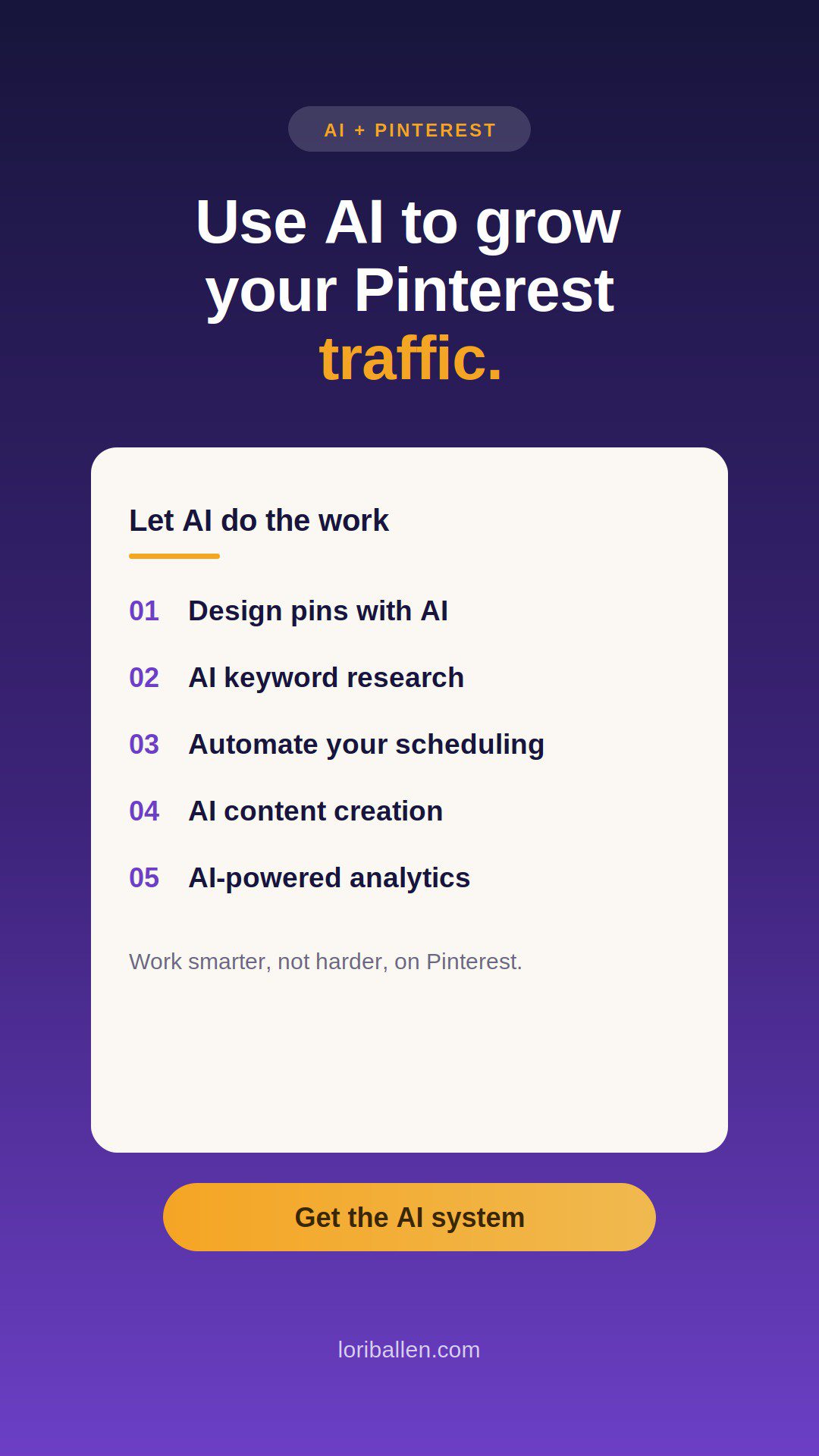
AI tools can make a huge difference if you’re looking to boost your Pinterest traffic and streamline your content creation. From creating visually appealing pins to automating your posting strategy, AI can help you work smarter, not harder. In this guide, I’ll walk you through how you can use AI to increase your Pinterest traffic, covering everything from content creation to analytics.

Why Pinterest Traffic Matters

Pinterest is more than just a platform for pretty pictures; it’s a powerful search engine for discovering new ideas, products, and trends. Whether you’re a blogger, an affiliate marketer, or a business owner, Pinterest can be a goldmine for driving traffic to your website, increasing your followers, and even generating sales. With over 450 million active users, it’s no surprise that businesses and creators are turning to Pinterest to grow their online presence.

RelatedPosts

The 6-Step Pinterest Marketing Strategy (The BALLEN Method)

The Pinterest Creator Tech Stack: 3 Tools That Run My Strategy

Is Pinterest Still Worth It in 2026? The Honest Answer

Pinterest vs. Instagram: Where Should You Put Your Content Energy?

How to Get More Views on Pinterest (What Is Actually Moving the Needle)

However, getting that traffic requires a bit of strategy. Posting frequently, creating high-quality content, and optimizing for Pinterest’s algorithm are key. That’s where AI comes in.

How AI Can Supercharge Your Pinterest Strategy

1. Creating Engaging Pins with AI Design Tools

Designing Pinterest pins that stand out can be a time-consuming process. You need visually appealing graphics, catchy text, and the right dimensions—all while maintaining consistency with your branding. That’s where AI-powered design tools come in.

Tools like Canva, Typeset, and Pin Generator allow you to generate beautiful, eye-catching pins quickly and efficiently. These tools use AI to suggest layouts, fonts, and color schemes based on your content, making the design process faster. You don’t need to be a graphic designer to create high-converting pins. Simply input your idea, and the AI will help you craft something that looks professional.

ADVERTISEMENT

Pro Tip: Use tools like PinClick (https://loriballen.com/go/pinclicks/) to research trending pin designs and tailor your AI-generated pins to current Pinterest trends.

2. AI-Driven Pinterest Keyword Research

Keywords are crucial for your Pinterest pins to appear in relevant searches. Pinterest is a search engine, so optimizing your pins with the right keywords can make or break your traffic potential. AI tools can take the guesswork out of keyword research by suggesting terms that are highly searched by your target audience.

AI tools like Pinclicks help with keyword research by analyzing current trends and giving you a list of keywords that will help your content rank. It also lets you track how well your pins are doing in terms of rankings. By using AI to choose the right keywords, you can boost your visibility on Pinterest and attract more traffic.

3. Automating Pinterest Pinning with AI Tools

Consistency is key when it comes to Pinterest. The more frequently you post, the more likely you are to be seen by your audience. But posting regularly can be a hassle, especially when you’re managing multiple platforms. That’s where Repurpose.io (https://loriballen.com/go/repurpose-io/) and Tailwind (https://loriballen.com/go/tailwind/) come in.

These tools use AI to automate your Pinterest posting schedule. By setting up a few key parameters, you can have your pins automatically scheduled and posted throughout the day, ensuring a constant presence on Pinterest without lifting a finger.

Pro Tip: Use Repurpose.io to repost your best-performing content across multiple social platforms to maximize your reach.

4. AI-Enhanced Content Creation for Pinterest Blogs and Pins

Content creation is one of the most important aspects of your Pinterest strategy. To drive traffic, you need to create valuable content that resonates with your audience. With AI writing tools like SEO Writing AI (https://loriballen.com/go/seo-writing-ai/), you can generate blog posts, pin descriptions, and even detailed Pinterest captions with just a few clicks.

These tools analyze top-performing content in your niche, then use that data to create optimized text for you. This means you don’t have to spend hours writing captions or blog posts; AI can generate SEO-friendly content that speaks directly to your audience, while including the best keywords to ensure your posts get noticed.

Pro Tip: Use SEO Writing AI to generate blog posts that you can link to from your pins, driving traffic to your website. By including relevant, high-traffic keywords, your blog posts are more likely to show up in Pinterest’s search results.

5. AI-Powered Analytics for Pinterest Performance

Once you’ve put all the effort into creating and sharing your pins, you need to know what’s working and what isn’t. Analyzing Pinterest analytics can help you fine-tune your strategy for maximum traffic.

AI tools like Clicky (http://clicky.com/100789855) and Tailwind Analytics can provide in-depth insights into how your pins are performing. These tools track metrics like impressions, engagement, and click-through rates, giving you data that you can use to optimize your future posts.

Instead of guessing which pins are doing well, let AI give you the answers. You’ll know exactly which pins are driving the most traffic, and you can double down on creating more of what works.

Pro Tip: Regularly monitor your AI-powered analytics to see which pin designs, keywords, and posting times are yielding the best results.

6. AI for Personalizing Pinterest Ads

If you’re running Pinterest ads, AI can take your ad campaigns to the next level. Tools like Surfer SEO (https://loriballen.com/go/surfer-seo/) help optimize your ad copy for better results. They use AI to analyze top-performing ads in your niche and recommend changes to improve your own ads. This ensures you’re targeting the right audience and getting the most out of your ad spend.

AI tools can also help you refine your audience targeting based on past engagement, ensuring that your ads are being shown to the people most likely to convert.

Real-World Example: How I Use AI for Pinterest Traffic

I’ve personally used AI tools to boost my Pinterest strategy, especially when it comes to automating my posting schedule and designing visually appealing pins. By using Tailwind and Repurpose.io, I’ve saved time and maintained a consistent presence on Pinterest. The AI-powered keyword research from PinClick has helped me identify the best terms to use in my pins, and SEO Writing AI has helped me create optimized blog content that I can link to from my pins.

These strategies have led to increased impressions, better engagement, and, ultimately, more traffic to my website.

Conclusion: Let AI Work for You on Pinterest

Using AI tools for Pinterest traffic isn’t just about saving time—it’s about working smarter. From creating high-converting pins to automating your posting schedule and tracking your analytics, AI can help you streamline your Pinterest strategy and increase your traffic.

By implementing these AI-driven tools and strategies, you’ll have more time to focus on what matters: creating valuable content that resonates with your audience. And with a little help from AI, you can grow your Pinterest presence faster than ever.

Ready to take your Pinterest game to the next level? Check out some of these AI tools and start optimizing your strategy today! Plus, if you’re looking for more tips on Pinterest marketing, join my Ballen Blueprint Coaching Group (https://stan.store/loriballen/p/ballen-blueprint) to dive deep into digital marketing strategies and affiliate growth.

Share this:

  • Share on Facebook (Opens in new window) Facebook
  • Share on X (Opens in new window) X

Like this:

Like Loading...

Related


Discover more from Lori Ballen Digital Marketing

Subscribe to get the latest posts sent to your email.

ShareTweet
Previous Post

5 Ways to Make $100 Per Day as a Beginner Using Descript

Next Post

10 Best ChatGPT Prompts for Pinterest Creators

Lori Ballen

Lori Ballen

I'm a full-time blogger. I teach entrepreneurs how to get more website traffic, generate leads, and make more money online. This website contains affiliate links that benefit me. Take a Course Get a Website Try my Tools

Related Posts

The 6-Step Pinterest Marketing Strategy (The BALLEN Method)

The 6-Step Pinterest Marketing Strategy (The BALLEN Method)

The BALLEN Method for Pinterest is a six-step Pinterest marketing strategy that turns pins into traffic, email subscribers, and sales...

The Pinterest Creator Tech Stack: 3 Tools That Run My Strategy

The Pinterest Creator Tech Stack: 3 Tools That Run My Strategy

The three tools that run my entire Pinterest strategy: Pinclicks for keyword research, Ideogram for pin images, and Tailwind for...

Is Pinterest Still Worth It in 2026? The Honest Answer

Is Pinterest Still Worth It in 2026? The Honest Answer

Pinterest is worth it in 2026 but only with the right system. Here is an honest breakdown of what works,...

Pinterest vs. Instagram: Where Should You Put Your Content Energy?

Pinterest vs. Instagram: Where Should You Put Your Content Energy?

Pinterest and Instagram compete for the same creator time. Here is how to decide where to put your energy based...

Next Post
10 Best ChatGPT Prompts for Pinterest Creators

10 Best ChatGPT Prompts for Pinterest Creators

Discover the 7 secrets to mastering Pinterest's tricky algorithm that no one's talking about! Boost your reach, increase engagement, and grow your traffic.

Beat the Pinterest Algorithm with These 7 Tips Nobody is Talking About

How to Make $1,000 Per Month Reviewing Amazon Products

How to Make $1,000 Per Month Reviewing Amazon Products

Leave a ReplyCancel reply

This site uses Akismet to reduce spam. Learn how your comment data is processed.

No Result
View All Result

Recommended

n this image, you can see the young man in his home office, deeply engaged in blogging. He looks directly at the camera, his expression a mix of confidence and approachability. The office is inviting, with warm lighting and stylish furnishings, creating the perfect setting for creative work. The computer screen shows various blogging tools and a partially written blog post, highlighting his active role in content creation.

38 Best Product Review Bloggers that Make Money

50 Of The Best Pinterest Board Names

50 Of The Best Pinterest Board Names

Subscribe to Blog via Email

Enter your email address to subscribe to this blog and receive notifications of new posts by email.

Join 80 other subscribers

Categories

  • Affiliate Marketing Strategies (79)
  • Amazon Influencer Program (16)
  • Blogging Strategies (129)
  • Business (12)
  • Content Marketing (28)
  • Digital Products (20)
  • Make Money Online (16)
  • Marketing Tools and Resources (19)
  • Pinterest (107)
  • Real Estate (24)
  • Side Hustles (73)
  • Substack (6)
  • Youtube Channel (26)
  • Get a Website
  • Coaching
  • Lori’s eBooks
  • Lori’s Tools
Get This Theme

© 2022 Lori Ballen | This website contains affiliate links that benefit the site owner

Welcome Back!

Login to your account below

Forgotten Password?

Retrieve your password

Please enter your username or email address to reset your password.

Log In

Add New Playlist

No Result
View All Result
  • Home
  • Business

© 2022 Lori Ballen | This website contains affiliate links that benefit the site owner

This website uses cookies. By continuing to use this website you are giving consent to cookies being used. Visit our Privacy and Cookie Policy.

Discover more from Lori Ballen Digital Marketing

Subscribe now to keep reading and get access to the full archive.

Continue reading

%d